
what is a nvr recorder
What Is an NVR Recorder: IP Camera Recording
An NVR recorder is a network video recorder that stores and manages video already encoded by IP cameras, rather than capturing and encoding footage itself —…
On this page
- How does an NVR actually work?
- NVR vs DVR: what's the real difference for a UK installer?
- What is a network video recorder used for — and who needs how many channels?
- Matching channel count to the site
- Beyond 8 channels
- How do you size PoE power, bandwidth and storage for an NVR?
- PoE power budget
- Bandwidth ceiling
- Storage retention
- How do you set up remote access on an NVR — and does it need internet?
- Related products
An NVR recorder is a network video recorder that stores and manages video already encoded by IP cameras, rather than capturing and encoding footage itself — that job happens at the camera, over Ethernet, using protocols like RTSP and ONVIF. The distinction matters because it changes everything downstream for a UK installer: cabling choice, resolution ceiling, PoE budget and how far cameras can scale.
Get this one concept right and the rest of NVR selection — storage sizing, bandwidth planning, remote access — falls into place logically rather than by guesswork.
How does an NVR actually work?
An NVR receives already-encoded video streams from IP cameras over Ethernet, then writes them to internal hard drives for storage, management and playback. IP cameras typically handle the encoding themselves before the stream reaches the recorder, rather than the NVR doing that job.
A network video recorder (NVR) is a purpose-built recorder that pulls already-encoded video streams from IP cameras over Ethernet using RTSP or ONVIF, then writes them straight to internal hard drives — it does no video capture of its own. As the Wikipedia entry on network video recorders puts it, an NVR contains no cameras itself, with the encoding done at the camera before the stream reaches the recorder.
That's the core answer to what a network video recorder does: it handles storage, management and playback for footage that's already digital when it arrives. You can work out how much storage that footage needs with our CCTV storage calculator.
This is the opposite of how a DVR works. A DVR receives a raw analogue signal over coax, and analogue cameras generally need a separate power connection rather than drawing power over the video cable itself. The NVR-vs-DVR distinction really comes down to where the encoding step happens — at the camera for NVR, at the box for DVR — and it's this that lets NVR systems run higher resolutions over ordinary network cabling.
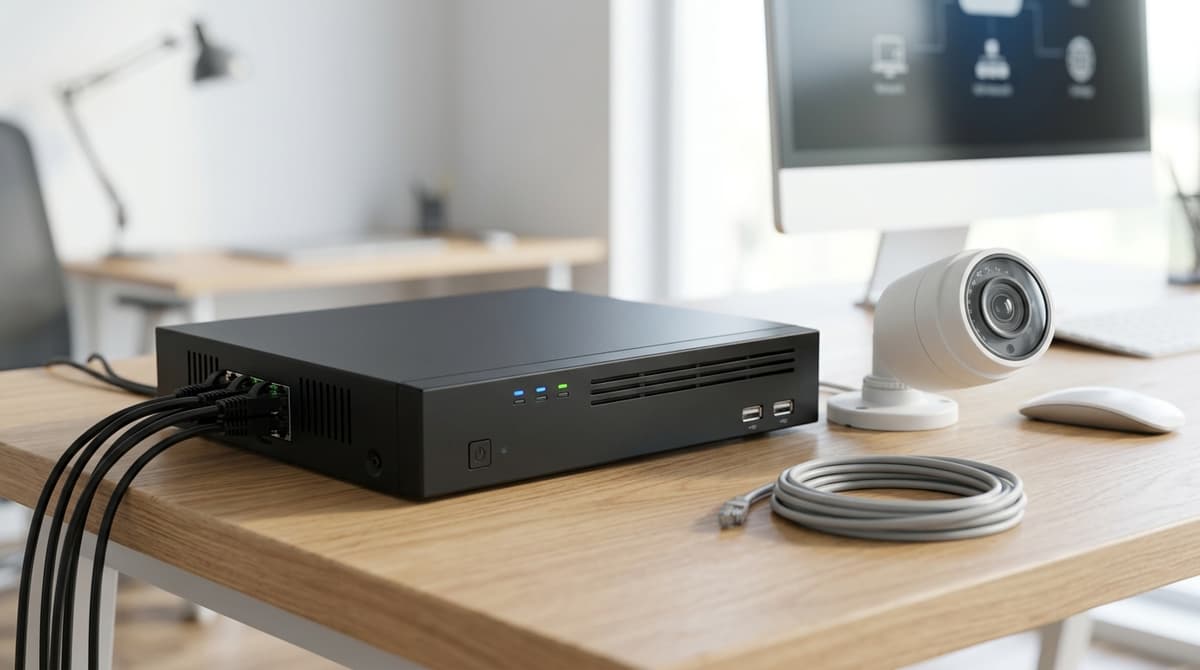
In practice, an NVR is built from the same handful of blocks whichever brand you buy. It has a CPU and embedded operating system running the recording software, one or more SATA bays for internal hard drives, and HDMI plus VGA outputs so you can run a monitor for local review. Network cameras connect over Ethernet or Wi-Fi depending on the model, and many NVRs — including the HIKVISION HiLook NVR-108H-D/8P — build in an 8-port PoE switch so compatible cameras can plug straight into the recorder for both power and data, removing the need for a separate switch. Its datasheet lists support for H.265+, H.265, H.264+ and H.264 compression and up to 60 Mbps of incoming and outgoing bandwidth across its 8 IP camera channels — worth checking against your camera bitrates rather than assuming all eight channels can run at full resolution simultaneously.
NVR vs DVR: what's the real difference for a UK installer?
The two practical differences are the cabling and where the video gets encoded, and both flow from one fact: an NVR has no video capture circuitry of its own, so IP cameras typically encode their own streams and the recorder receives, stores and manages the finished footage over a network, per Senstar.
A DVR does the opposite — the camera sends a raw analogue signal down coax, and the recorder does the encoding. That single wiring decision cascades into resolution ceiling, cable runs and how easily the system grows later.
| NVR | DVR | |
|---|---|---|
| Cabling | Cat5e/Cat6 Ethernet | Coax |
| Power | Single-cable PoE to camera (where the camera and switch/recorder support it) | Separate power connection needed, distinct from the video signal |
| Resolution | Not capped to a fixed analogue standard | Traditional lower-res ceiling, per Senstar |
| Scalability | Add IP cameras on the same network | Limited to fixed DVR channels and existing coax runs |
| Encoding location | In the camera | In the recorder |
For a new install, PoE means one Ethernet cable to each camera can carry both power and video, which is why most site plans now centre on an IP NVR rather than running separate power leads to every position — though an NVR works equally well with Wi-Fi cameras where PoE isn't available. The HIKVISION HILOOK NVR-108H-D/8P is an 8-channel example built around this: eight built-in PoE ports, support for H.265+, H.265, H.264+ and H.264 compression, up to 60 Mbps incoming and outgoing bandwidth, and support for up to 8 IP network cameras — no separate switch or power supplies to wire in.
Worth flagging honestly: hybrid recorders that combine NVR and DVR functions in one box do exist, and an NVR "contains no cameras, but connects to them through a network," per Wikipedia, so the line isn't always as clean on every product as the table above suggests. For a new build, choose an NVR with IP cameras — DVR only earns its place if you're reusing coax already in the walls, as covered in our HD over coax camera systems UK guide, and our IP67 explainer for security cameras covers weatherproofing ratings for outdoor units.
What is a network video recorder used for — and who needs how many channels?
An NVR stores and plays back footage from multiple IP cameras, and channel count — how many cameras it can take — is the first sizing decision a buyer makes. Recorders in this category typically span from small 4-channel units suited to a home or single shop up to 32-channel-plus units built for larger commercial sites, with 8- and 16-channel models covering everything in between.
Matching channel count to the site
A domestic hallway, a shop counter or a single-vehicle yard rarely needs more than four cameras, which is where a compact NVR earns its keep. A 4-channel recorder such as the Tiandy TC-R3104 4 Channel NVR, which covers up to 6MP resolution with H.265 compression and built-in PoE cable run calculator, is a sensible starting point for a small setup that won't outgrow its recorder in year one.
A small parade of shops, a café with a rear yard, or a small office is where the sizing question gets harder, because the jump from 4 to 8 channels is also a jump in the incoming bandwidth the recorder has to handle.
The HIKVISION HILOOK NVR-108H-D/8P 8CH PoE NVR supports up to 8 IP cameras with up to 60 Mbps of incoming and outgoing bandwidth and built-in PoE ports, so cameras can plug straight into the recorder without a separate PoE switch, per its own product listing. That's a ceiling shared across all 8 channels rather than a guarantee per camera — an 8-camera system running high-resolution streams can hit the bandwidth limit before it hits the channel limit, so it's worth checking each camera's expected bitrate against the recorder's total before assuming all 8 ports can run flat out simultaneously.
Where four channels genuinely cover the camera count but a step up in port count and PoE flexibility is wanted, a unit such as the Longse NVR3109S1P8 9-Channel PoE NVR offers 8 independent PoE ports with plug-and-play connection and support for extended cable runs up to 200m — though anyone needing more than the available channels will need to look at a higher-channel unit instead, since channel count itself can't be expanded.
Beyond 8 channels
Larger commercial sites — warehouses, multi-unit retail, larger offices — push into 16- and 32-channel-plus territory, the top of the range this category spans. The right channel count is set by how many cameras the site needs now plus realistic room to add a few more, not by buying the biggest box available, and it's worth checking incoming bandwidth and PoE power budget alongside channel count rather than assuming a recorder that lists enough ports can necessarily drive them all at once. Browse the range at clearsecurity.co.uk or ask for a suggested system if the camera count for a specific site isn't settled yet.
How do you size PoE power, bandwidth and storage for an NVR?
Correct NVR sizing requires checking three budgets: the total PoE wattage available across all ports, the NVR's stated incoming bandwidth ceiling in Mbps, and storage capacity needed. Undersizing any one causes dropped cameras, frame loss, or premature storage exhaustion.
Sizing an NVR correctly means checking three separate budgets — PoE wattage, network bandwidth in Mbps, and storage capacity in TB — because undersizing any single one causes dropped cameras, frame loss, or footage that runs out weeks earlier than expected. These three checks matter more than channel count alone: a recorder with enough ports can still fall short if its bandwidth ceiling or PoE budget isn't sized to match.
PoE power budget
An NVR with built-in PoE powers cameras directly through its own network ports, avoiding a separate injector or switch for each camera. This is a named feature on recorders like the HIKVISION HILOOK NVR-108H-D/8P, the Tiandy TC-R3104, and the PROLUX PXN-2108HS-8P-4K, all of which supply power over the same cable that carries video.
What matters is the total PoE wattage budget shared across all ports — that figure varies by model and isn't something to estimate, so check the specific product's own datasheet before adding cameras with heaters, IR arrays, or built-in wipers, which draw more power than a standard fixed lens camera.
PoE isn't the only way to connect, either: some NVRs pair with compatible cameras over Wi-Fi instead of Ethernet, so PoE is best thought of as a common option rather than a fixed requirement.
Bandwidth ceiling
Every NVR has a stated maximum throughput, and the sum of every connected camera's bitrate has to stay under it. The NVR-108H-D/8P is rated for up to 60 Mbps incoming and outgoing bandwidth, while the PROLUX PXN-2108HS-8P-4K lists a maximum 80 Mbps incoming bandwidth — exceed either ceiling and cameras can drop frames or disconnect even though PoE power is fine.
Work it out as a formula rather than guessing:
Total required bandwidth (Mbps) = number of cameras × bitrate per camera (Mbps), checked against the NVR's stated incoming bandwidth limit.
As an illustrative example only (not a tested figure), an 8-channel recorder rated at 60 Mbps incoming would need each camera's stream to average no more than about 7.5 Mbps if all eight channels were loaded evenly — high-resolution or high-frame-rate streams eat into that far faster than lower-resolution ones, so check each camera's actual encoding settings rather than assuming. This is also where channel count and bandwidth part company as separate checks: an 8-channel NVR supports up to eight compatible IP cameras, but that port count alone doesn't guarantee eight cameras' worth of bandwidth at any resolution you like — a buyer choosing between, say, four cameras running up to 6MP on a 4-channel recorder and eight cameras on a shared 60 Mbps or 80 Mbps ceiling needs to size both figures, not just the port count.
Storage retention
Storage has to be sized against how many days of footage you need to keep, not just the drive size quoted on the box. The one figure that matters most is retention days, not drive capacity — a large hard drive filled by high-bitrate 4K streams from several cameras can run out of days far sooner than the same drive holding lower-resolution footage.
Compression format affects this too: the NVR-108H-D/8P's listing states support for H.265+, H.265, H.264+ and H.264, while the PROLUX PXN-2108HS-8P-4K's listing states H.265/H.264 codec decoding — in each case, H.265 tends to store the same footage in less space than H.264, which can stretch retention on a given drive. For a working retention estimate matched to your camera count and resolution, Clear Security can suggest a suitable system and hard drive pairing.
How do you set up remote access on an NVR — and does it need internet?
No — an NVR records and plays back footage entirely without an internet connection; you only need internet for remote viewing from off-site. All the core work — pulling each camera's H.264 or H.265 stream over the network, writing it to the internal hard drive, and reviewing it on a monitor plugged into the HDMI or VGA output — happens on the local network between the cameras and the recorder. An 8-channel PoE NVR will keep recording on its built-in ports even if the property's broadband is down or was never connected in the first place, since local recording depends on the camera-to-recorder network, not the internet feed.
Internet only matters once you want to check the system from a phone or laptop away from the site.
In broad terms, that means connecting the NVR to your router — often via a spare LAN port, since PoE-equipped recorders tend to reserve their built-in ports for cameras — then setting up port forwarding, a P2P cloud service, or a VPN so the NVR's web interface or app can reach it remotely.
The exact steps vary between manufacturers and firmware versions, so treat this as the general shape of the job rather than a step-by-step guide; your recorder's own installation guide or datasheet will have the specifics for that model.
The key trade-off: if the broadband goes down, local recording, HDMI playback, and on-site access via mouse and monitor are unaffected — only remote viewing stops until the connection is restored. On the local network, without any internet feed at all, you can still view live and recorded footage from another device on the same network. For a full breakdown of channel counts and PoE port options, browse the range at Clear Security or ask for a suggested system to match your camera count.
Related products
Related products from our own range:
- PROLUX PXN-2108HS-8P-4K ,NVR 8 Channel 1U 8PoE 4K&H.265 Lite Network Video Recorder, Up to 2ch@4... — H.265/H.264 codec decoding Max 80Mbps incoming bandwidth Up to 8Mp resolution preview & playback Up to 1ch@8MP/4ch@1080P decoding HDMI/VGA simultaneous video output Support IPC UPnP, 8PoE ports
- Tiandy TC-R3104 4 Channel NVR 6MP PoE H.265 4-Port Network Video Recorder — The Tiandy TC-R3104 is a 4-channel Network Video Recorder with built-in PoE, supporting up to 6MP resolution. Featuring advanced H.265 compression, remote access, and reliable performance, it is ideal
- HIKVISION HILOOK NVR-108H-D/8P 8CH PoE Network Video Recorder H.265 NVR — 8 channel network video recorder with built-in PoE ports; Supports H.265+, H.265, H.264+ and H.264 compression; Up to 60 Mbps incoming and outgoing bandwidth; Supports up to 8 IP network camer
- Longse NVR3109S1P8 9CH 4K PoE NVR Recorder 8 Port PoE H.265+ Up to 8TB CCTV — 8-Port PoE Plug & Play 8 independent 100Mbps PoE network interfaces built right into the NVR. Connect IP cameras with a single cable — power and data combined. Supports extended mode up to 200m cable
Frequently asked questions
What is a NVR recorder?
An NVR (Network Video Recorder) is a purpose-built device that receives video streams from IP cameras over an Ethernet network, using protocols such as RTSP or ONVIF, and writes that footage to internal hard drives. Unlike older analogue recorders, IP cameras typically encode their own video before the stream ever reaches the NVR, so the recorder's job is mainly storage, management and playback rather than encoding.
What is a network video recorder?
A network video recorder is the IP-camera equivalent of a hard drive plus management brain for a CCTV system: it stores, indexes and lets you play back footage from multiple cameras, while often also providing local monitor outputs and remote viewing access. Many NVRs add a built-in PoE switch so compatible cameras can be powered and connected through the same recorder, though cameras can also connect over a separate Ethernet switch or Wi-Fi depending on the model.
What's the difference between an NVR and a DVR?
The core difference is where video encoding happens: with a DVR, footage arrives as an analogue/coax signal and is encoded at the recorder; with an NVR, IP cameras encode the video themselves and send finished digital streams over Ethernet (Cat5e/Cat6). This affects cabling choice, achievable resolution, and how easily the system scales.
Does an NVR need internet?
No — an NVR will record and store footage locally from cameras on its own network without any internet connection. Internet access is only needed if you want remote viewing from a phone or PC away from the site.
What are the downsides of using an NVR system?
NVR systems generally cost more upfront than equivalent analogue DVR kit, need network cameras and often a compatible switch or PoE ports rather than simple coax cabling, and depend more heavily on correct network configuration for smooth remote access. Storage sizing also needs closer attention, since higher-resolution IP streams can consume more disk space per camera than analogue equivalents.
Sources & references
- What is a Network Video Recorder (NVR)? - Senstar
- Network video recorder
- What is a Network Video Recorder (NVR)? NVR Meaning | Isarsoft
- What is an NVR (Network Video Recorder)? NVR vs DVR vs VMS | Tec-Tel
- What Is An NVR, Network Video Recorder Explained
- Understanding NVR Technology: What Is an NVR and How Does It Work?
Shop this topic
- what
- is
- nvr
- recorder
Written by
Clear Security Editorial Team
Buying guides researched against the equipment we stock, with every specification checked back to the manufacturer's datasheet and UK guidance reviewed before publication.
Related reading
- Best CCTV System 2026: How to Choose for UK Homes and Shopswhat cctv system is the best
- Best NVR Recorder UK 2026: Size, Storage and PoE Guidebest nvr recorder
- What Is a Camera Bracket? UK CCTV Guide 2026what is a camera bracket?
- What Is a CCTV Monitor? Display Types and Buying Guidewhat is a cctv monitor
- What Is a CCTV Camera Kit? 2026 Guidewhat is a camera kit?
- CCTV Lens Size for Face Recognition at 10 Metres (2026)what lens size cctv camera do i need to see a face at 10 metres