
what lens size cctv camera do i need to see a face at 10 metres
CCTV Lens Size for Face Recognition at 10 Metres (2026)
For a typical 4MP camera, a lens of roughly 4-6mm will cover a 10 m wide scene at identification density, which is about 250 pixels per metre on the commonly…
On this page
- What lens size do I need to see a face at 10 metres?
- The three inputs
- Megapixels do not change the view
- How do I calculate the focal length for a face?
- 2.8mm vs 4mm vs 6mm vs varifocal: worked example at 10 m
- Working backwards from a target
- The cost of zooming in
- Where varifocal fits
- Does mounting height and angle change the lens you need?
- Typical mounting heights by site
- Why wide lenses suit corners, not faces
- What else stops a face from being identifiable?
- Light and shutter
- Human viewer versus software
- Recording settings
- Plates and privacy
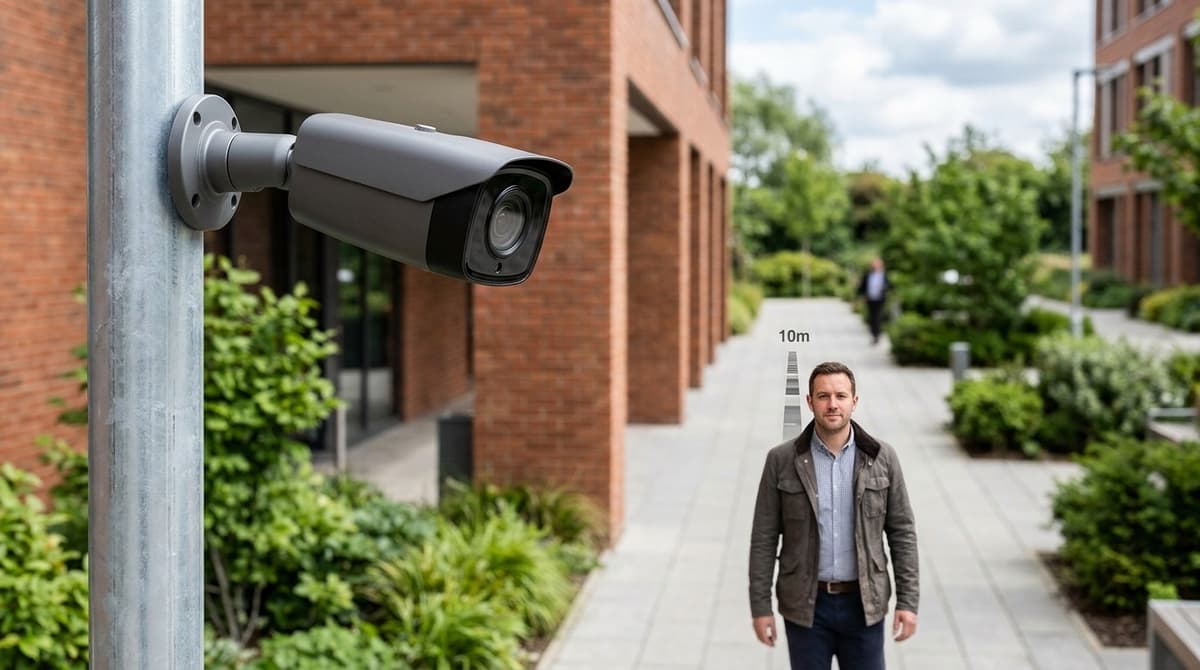
For a typical 4MP camera, a lens of roughly 4-6mm will cover a 10 m wide scene at identification density, which is about 250 pixels per metre on the commonly used DORI scale. An 8MP camera reaches the same density across a wider scene, so it can use a shorter lens. That only holds for a face-on subject in good light. The pixel-density target, the mounting height and the viewing angle matter as much as the lens number, and the formulas below show how to work it out for your own camera.
What lens size do I need to see a face at 10 metres?
Focal length equals sensor width × 10 m ÷ frame width, and frame width is image width in pixels ÷ your PPM target. Both formulas are set out on the DHI lens calculator page. Combined for a 10 m subject, they give: focal length (mm) = sensor width (mm) × 10 × PPM ÷ image width (px).
The three inputs
- Sensor width: read it from the camera datasheet. It is not the same as the "1/3-inch" style label.
- Image width: a 4MP camera typically outputs 2560×1440, so use 2560 px.
- PPM target: the pixels per metre of scene width you need at the subject.
For the PPM target, the DORI model sets one level per task: Detect, Observe, Recognise and Identify, as described in the Axis pixel-density white paper. Each tier needs more pixels per metre than the one before. Pick the tier first, take its figure from that paper or the standard, and drop it into the formula. A face-ID target at 10 m needs a much longer lens than simply noticing that someone is there.
DHI's own example shows the maths in use: a 5.60 mm sensor at 20 m with a 4.00 m frame needs 28 mm. A 1,920 px image across that frame gives 480 px/m.
Megapixels do not change the view
Field of view depends only on sensor size and focal length, as the cctvplanner FOV calculator explains. For example, a 4.0 mm lens on a 1/3" sensor covers 12.00 m of width at 10 m. Across 2560 px that is roughly 213 px/m.
More megapixels put more pixels inside the same view, which raises PPM. A longer lens narrows the view to the same effect. The tiers also assume a subject facing the camera in full daylight, per NtechLab's camera requirements, so allow margin for poor light or side-on angles.
How do I calculate the focal length for a face?
Multiply the sensor width by the distance, then divide by the frame width you need: f = (W × D) ÷ F. Three steps get you there.
- Pick a pixel-density target (PPM). This is how many pixels per metre must land on the subject.
- Find the frame width. F = image width in pixels ÷ PPM.
- Apply the formula. f = focal length (mm), W = sensor width (mm), D = distance (m), F = frame width (m).
Worked example: take a 1920 px wide image and 480 px/m, the density used in the DHI calculator example. That gives F = 1920 ÷ 480 = 4.00 m. With the illustrative 1/3" sensor at about 4.8 mm wide and D = 10 m, f = 4.8 × 10 ÷ 4.00 = 12 mm.
The 4.8 mm width is a simplification. It is the figure implied by the cctvplanner example, where a 4 mm lens at 10 m covers 12.00 m. Real sensors vary, so take the width from the datasheet. If it isn't listed, back-calculate it from the stated horizontal field of view: W = 2 × f × tan(HFOV ÷ 2). The DHI tool does exactly this, turning 2.8 mm and 90° into 5.60 mm.
A calculator is only as good as the sensor width you give it. A wrong width shifts the answer by the same proportion.
The maths also assumes a pinhole lens and a subject far away compared with the focal length. Real lenses lose some detail towards the edges of the frame, so keep faces near the centre rather than planning them at the margins.
2.8mm vs 4mm vs 6mm vs varifocal: worked example at 10 m
At 10 m, a 4mm lens gives about 213 PPM on a 4MP camera, 6mm gives 320 PPM, and 2.8mm falls to around 149 PPM. These figures assume a 1/3" sensor 4.8mm wide and measure the centre of the frame, where the picture is sharpest.
| Lens | Frame width at 10 m | 4MP (2560 px) | 8MP (3840 px) |
|---|---|---|---|
| 2.8mm | ~17.1 m | ~149 PPM | ~224 PPM |
| 4mm | 12.0 m | ~213 PPM | 320 PPM |
| 6mm | 8.0 m | 320 PPM | 480 PPM |
| 12mm (varifocal long end) | 4.0 m | 640 PPM | 960 PPM |
The 4mm row matches the 12.00 m width the CCTV Planner FOV calculator gives for a 1/3" sensor at 10 m. The method is the one in the DHI lens calculator: frame width equals image width divided by PPM. Focal length then equals sensor width × distance ÷ frame width. Always take the real sensor width from the datasheet, as 1/3" sensors vary slightly.
Working backwards from a target
For 250 PPM, the density commonly used as an identification target, a 4MP camera needs about 4.7mm and an 8MP about 3.1mm. For 125 PPM, a recognition-level target, a 4MP needs about 2.3mm and an 8MP about 1.6mm. So an 8MP camera can hold identification detail with a wider lens than a 4MP one.
The cost of zooming in
A longer lens narrows the view. A 6mm lens gives an 8 m wide frame at 10 m, which suits a doorway or till but covers an open shop floor poorly. A fixed-lens static camera locks in whichever compromise you pick at purchase.
Where varifocal fits
A motorised varifocal turret, typically 2.8–12mm, spans every row of the table. Your installer sets zoom and focus on site and can re-frame later without swapping the camera. Before buying, check the datasheet for the IP and IK ratings, the IR range and whether it is PoE-powered. The ratings and IR range matter for an outdoor mount, and PoE affects your cabling and switch budget.
Does mounting height and angle change the lens you need?
Only slightly: height barely changes the slant distance, but a steep downward angle spoils face detail far more than lens choice does. Slant distance is √(height² + horizontal distance²), so a camera 3 m up covering a subject 10 m away is working at about 10.4 m. That rarely justifies a longer focal length.
The real penalty is geometry. From a high mount, a subject walking towards you shows the camera a forehead or cap peak instead of eyes and nose. Lowering the mount, or aiming along the approach path rather than across it, will do more for recognisable faces than a lens change.
Typical mounting heights by site
General installer guidance, not manufacturer data:
| Location | Typical mount height | Distance vs tilt compromise | Usual camera style |
|---|---|---|---|
| Entrance door | Roughly 2.4–3 m | Lower end keeps the angle shallow; aim along the approach so faces turn towards the lens | Fixed turret or bullet |
| Shop till | Roughly 2.4–3 m | Subjects are close, so tilt is the issue, not reach | Fixed turret |
| Shop floor corner | Higher, near ceiling | Covers the whole room, but views shoppers from above and across | Wide fixed turret |
| Car park pole or wall | Higher still | Long reach pulls towards a narrower lens, while height steepens the tilt | Varifocal bullet |
For a CCTV camera for a retail shop, that usually means a wide camera in the corner for overview and a separate camera at the door or till for faces.
Why wide lenses suit corners, not faces
A 2.8mm turret spreads its pixels over a huge view. The DHI lens calculator uses a 2.8mm lens with a 90° horizontal field of view on a 1920 px wide image, while cctvplanner lists 120° for 2.8mm. Check your own camera's datasheet, since the figure depends on sensor size.
At 90°, the frame is about 20 m wide at 10 m, which works out to roughly 96 px/m. That is fine for seeing someone enter, but thin for a face. A varifocal lens lets you tune the view after mounting, which helps when the real viewing distance differs from your estimate.
What else stops a face from being identifiable?
Poor light, motion blur, heavy compression and a low-resolution recording stream can ruin a face as surely as the wrong lens.
Light and shutter
A walking subject smears if the shutter is slow, and a bright doorway behind them turns the face into a silhouette. NtechLab's camera requirements stress even lighting, sensible exposure and WDR (wide dynamic range) for this reason. For dark scenes, Hikvision's manual describes a Face Enhancement option that helps face-capture devices produce clearer pictures at night.
Human viewer versus software
Identifying someone by eye and matching them with software are different jobs. NtechLab quotes 500 px/m, about 80 px of face width, for face recognition. Treat that as the software target and don't assume a lens chosen for a human viewer will meet it.
Recording settings
A 4K camera recorded through a low-resolution substream throws away the detail you paid for. Set the NVR to record the main stream and don't starve it of bitrate. The NVR and 4MP vs 8MP guides on this site cover that in detail.
Plates and privacy
CCTV ANPR cameras are a separate job with their own lens and shutter setup, so don't expect a face camera to read plates. On the legal side, UK GDPR and the ICO's CCTV guidance can apply when cameras capture people beyond your own private space, so plan signage and a stated purpose. Software that matches faces is a bigger step than recording, and worth getting advice on first.
Frequently asked questions
What lens size do I need to see a face at 10 metres?
On a typical 4MP camera, a lens of roughly 4-6mm covers a 10 m scene at identification density. An 8MP camera gets there with a shorter lens. This only holds for a face-on subject in good light, so your pixels-per-metre target, mounting height and camera angle matter as much as the lens number.
How do I calculate the focal length for a 10 metre distance?
First work out frame width at 10 m: image width in pixels divided by your pixels-per-metre target. A 4MP camera is 2560 pixels wide. Then focal length equals sensor width multiplied by distance, divided by frame width. Take the sensor width from the camera's datasheet rather than guessing.
Does a higher megapixel camera need a longer lens?
Not necessarily. Field of view depends only on sensor size and focal length, while pixel count sets how many pixels fall across that view. An 8MP camera with the same lens shows the same scene as a 4MP one, but with more pixels on each face. You can therefore use a shorter, wider lens.
What do Detect, Observe, Recognise and Identify mean?
These are the DORI tiers, which set increasing pixel-density targets for what a camera can show. Detect only confirms something is there, while Identify means a face is clear enough to name someone. Choose your pixels-per-metre target from the tier you need before you pick a lens.
How much storage do I need for CCTV?
It depends on resolution, frame rate, compression and how many days you keep footage. A higher-megapixel camera, such as an 8MP model chosen for a shorter lens, will generally use more storage than a 4MP one. Use your recorder maker's calculator with your real settings rather than relying on a generic figure.
Sources & references
- CCTV Lens Focal Length Calculator | DHI
- https://docs.ntechlab.com/projects/findface-lite/en/1.6/camera_req.html
- Guide to ID'ing The Face of a Person: Resolution, Focal Length & Megapixels
- Pixel density
- CCTV Lens Calculator: Pick the Right Focal Length [Free 2026]
- FOV Calculator: Free CCTV Camera Field of View Tool [2026]
- what
- lens
- size
- cctv
- camera
- do
- need
- see
- face
- at
- 10
- metres
Written by
Clear Security Editorial Team
Buying guides researched against the equipment we stock, with every specification checked back to the manufacturer's datasheet and UK guidance reviewed before publication.
Related reading
- Best CCTV System 2026: How to Choose for UK Homes and Shopswhat cctv system is the best
- 4MP vs 8MP CCTV Cameras: What the Difference Means in 2026what does 4mp vs 8mp mean for cctv cameras
- CCTV Camera Cost for a Shop UK 2026: Full Guidecctv camera cost for shop
- What Is a Camera Bracket? UK CCTV Guide 2026what is a camera bracket?
- What Is a CCTV Monitor? Display Types and Buying Guidewhat is a cctv monitor
- CCTV Camera for Office: Best Options by Room (2026)cctv camera for office