
what does 4mp vs 8mp mean for cctv cameras
4MP vs 8MP CCTV Cameras: What the Difference Means in 2026
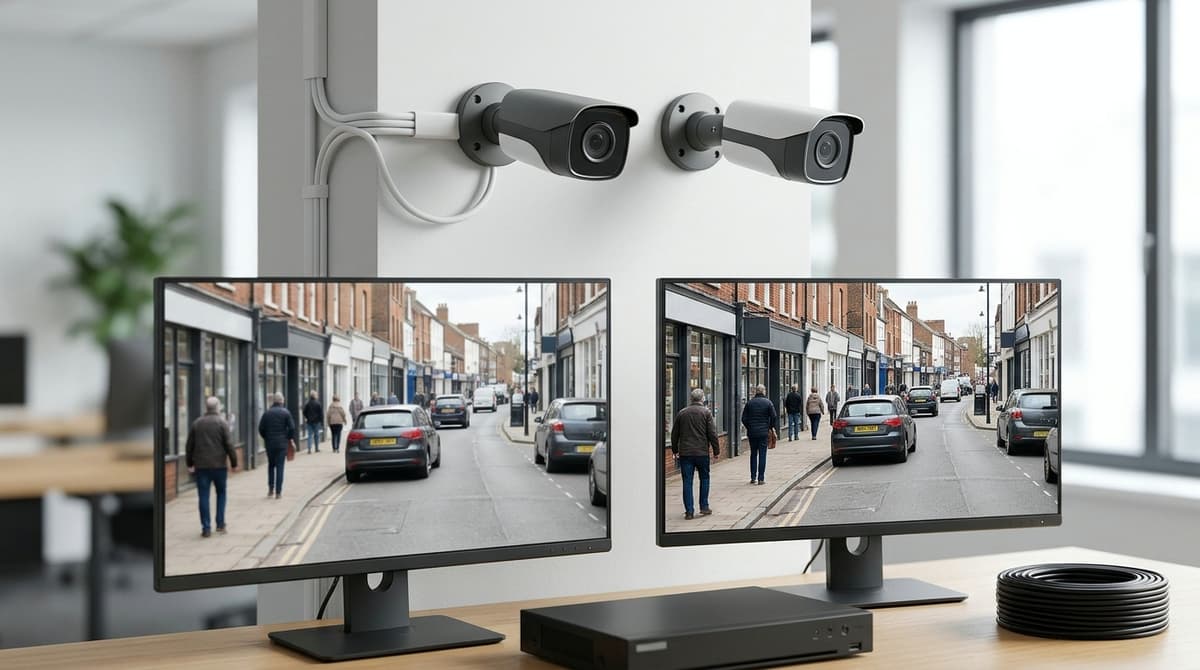
An 8MP camera records 3840×2160 pixels, twice the 2560×1440 of a 4MP camera, but that works out at only 1.5× more detail across the width of the picture.
On this page
- What does 4MP vs 8MP mean on a CCTV camera?
- Double the pixels is not double the detail
- Sensor and lens still count
- Is 4MP enough for CCTV, or do you need 8MP?
- How this plays out by job
- How does 8MP change storage and bandwidth?
- The sums
- What to do with it
- What does 8MP mean for PoE switches and cable runs?
- PoE budget
- Network side (general guidance)
- Cable runs
- HD-over-coax systems
- Which should you pick for a shop entrance and car park?
- Working it out with pixels per metre
- Pick 4MP if
- Pick 8MP if
An 8MP camera records 3840×2160 pixels, twice the 2560×1440 of a 4MP camera, but that works out at only 1.5× more detail across the width of the picture. Doubling the detail on a face or number plate takes roughly four times the megapixels, so 8MP earns its extra cost, storage and bandwidth only where the job needs that reach. Lens quality, sensor size and low-light performance matter as much as the headline number, and a sharp 4MP camera can easily beat a poor 8MP one.
What does 4MP vs 8MP mean on a CCTV camera?
MP means millions of pixels: 4MP is 2560×1440 and 8MP is 3840×2160, so 8MP has more than double the pixels. That is the whole answer to "what does MP mean in CCTV", and it is the same count that sits behind most HD CCTV cameras. A 4MP image holds roughly 3.7 million pixels and an 8MP image roughly 8.3 million.
Installers also use the 2K and 4K labels. 4MP is usually sold as 2K and 8MP as 4K, a naming convention covered in the Synectics resolution guide. For the common question "what does 3MP mean for cameras", it is simply a step between 2MP (1920×1080) and 4MP.
Double the pixels is not double the detail
Detail is measured across the width of the frame, not by total pixel count. 3840 ÷ 2560 gives 1.5×, so an 8MP camera resolves about 50% more horizontally than a 4MP one with the same field of view. The ISS article makes the related point that doubling the detail on a face or number plate needs four times the megapixels.
Sensor and lens still count
As general guidance, not a spec: a sharp lens and a good sensor matter as much as the megapixel figure. Cramming more pixels onto a sensor of the same size makes each pixel smaller, and smaller pixels tend to gather less light. A well-made 4MP camera can therefore beat a poor 8MP one at night.
Is 4MP enough for CCTV, or do you need 8MP?
4MP is enough for most overview and close-range jobs; 8MP pays off when you must cover a wider area or identify detail further away. The deciding factor is pixel density on the target, as the IP Security Depot comparison frames it, not the megapixel figure.
The formula needs no fixed targets:
pixels per metre = horizontal pixels ÷ scene width in metres at the target distance
A 4MP camera is 2560 pixels wide and an 8MP camera 3840, so 8MP gives 1.5× the pixels across the same scene. You can spend that either on a scene 1.5× wider at the same density or on 1.5× the density in the same view. Going from 4MP to 8MP is not a doubling of detail; Zions notes that doubling detail at the same field of view takes four times the megapixels, such as 2MP to 8MP.
How this plays out by job
- Wide overview (a shop floor or yard): a static 4MP camera usually shows what happened and where. Choose 8MP if you want to cover more with fewer cameras without losing density.
- Face identification at a doorway: frame the door tightly with the lens. A narrow scene raises density more than extra megapixels do.
- Vehicle plates: resolution alone will not do it. Mounting angle, lens choice and shutter settings matter as much, so use the ANPR article on this site rather than a megapixel rule.
Higher resolution also records more identifiable detail. Where UK GDPR applies to your system, the ICO expects your CCTV use to be justified and proportionate, so choose resolution for a defined purpose and not simply the highest on offer.
How does 8MP change storage and bandwidth?
An 8MP camera generally needs a higher bitrate than a 4MP one, so it fills drives faster and takes more network capacity. IP Security Depot's resolution guide makes the same point: higher megapixels consume more bandwidth and more storage.
"Roughly double" is a fair rule of thumb, and no more than that. The real gap depends on the codec (H.265 typically needs less than H.264 for similar quality), the frame rate, how much of the scene moves, and the bitrate set on the camera.
The sums
- Storage per camera per day = bitrate × seconds per day ÷ 8. With bitrate in megabits per second and 86,400 seconds in a day, this gives megabytes.
- Retention days = usable drive capacity ÷ the combined daily storage of every camera on the recorder.
Usable capacity is lower than the figure printed on the drive, so use what the NVR reports after formatting.
What to do with it
Read the bitrate from the camera's settings or the NVR rather than guessing. Your configured value is what fills the disk, not the maximum on the datasheet.
As general guidance, motion-based recording can cut storage where a scene is quiet for long stretches. A busy entrance may trigger so often that the saving is small, so check the result against your retention target.
For turning these figures into a drive size, see our NVR size and storage guide.
What does 8MP mean for PoE switches and cable runs?
Moving to 8MP can raise the power each camera draws and the data it sends, so check the PoE budget, the NVR link and each cable run before you buy.
PoE budget
Take each camera's rated power draw from its datasheet and add them up. The total must fit within the switch's stated PoE budget:
Σ (rated power of each camera) ≤ switch total PoE budget
Don't assume an 8MP model draws the same as a 4MP one. Use the datasheet figure for the exact model, and leave some headroom for cameras with infrared or heaters running.
Network side (general guidance)
Eight 8MP streams load the uplink from the switch to the NVR more than eight 4MP streams do. They also put more load on the NVR's maximum incoming bandwidth. Compare the combined stream rate of your cameras with both limits, using the NVR's datasheet.
Cable runs
PoE cameras are bound by the usual twisted-pair Ethernet distance limit. Check the cable's specification, and confirm any run near that limit with your installer before you fit it.
HD-over-coax systems
HD-TVI, AHD and CVI systems send video over coax, and passive baluns rated up to 8MP exist for carrying those formats over Cat5e or Cat6. They need no external power and are used in pairs, one at each end. Whether to reuse existing network cable this way is your decision, and your installer should check the balun datasheet against the camera and recorder first.
Which should you pick for a shop entrance and car park?
Use 4MP for the shop entrance and 8MP for the car park overview: the wider the scene, the more the extra pixels earn their place.
Working it out with pixels per metre
Pixels per metre is the camera's horizontal pixel count divided by the width of scene it covers at the target's distance. A 4MP camera is 2560 pixels wide and an 8MP camera is 3840 pixels wide. Scene width is 2 × distance × tan(half the horizontal field of view).
Zone A, the entrance. This is a static CCTV camera with a face at a short, fixed distance, so the scene width at the door (W_A) is small. Density is 2560 ÷ W_A for 4MP and 3840 ÷ W_A for 8MP. Check the 4MP figure against your target density first. If it already clears the target, 8MP only adds storage load.
Zone B, the car park. A wide lens over a long distance makes W_B large, so the same pixels are spread thin. The 8MP gain is the same 1.5× in width, since 3840 ÷ 2560, even though it has twice the pixels. In a wide scene that 1.5× can be the difference between meeting your target and missing it.
For reading number plates, a dedicated ANPR camera is a different job from an overview camera.
Pick 4MP if
- The target is close and the field of view is narrow.
- The NVR, switch or drives are already near their limits.
- You need long retention across many cameras.
- You are covering an interior or a retail shop floor.
Pick 8MP if
- You need a wide yard or car park from few cameras.
- You need to digitally zoom into recorded footage.
- The recorder and network have headroom.
- You accept the storage trade-off.
Mixed systems are common. Put 8MP on the wide overview, where scene width is the problem, and 4MP on doors and tills, where distance is short and the target is already well covered. That keeps bandwidth and disk use down on most channels while the camera that needs the detail gets it.
Frequently asked questions
What does mp mean in cctv?
MP stands for megapixels, meaning millions of pixels in each frame. A 4MP camera typically records 2560×1440 pixels and an 8MP camera 3840×2160, often sold as "2K" and "4K". More pixels give more potential detail, but lens quality and sensor performance also decide how sharp the picture is.
What does 8mp camera mean?
An 8MP camera captures about 8 million pixels per frame, usually 3840×2160 (4K). That is twice the pixels of a 4MP camera but only 1.5× the detail across the width (3840 ÷ 2560). Doubling the detail on a face or number plate needs roughly four times the megapixels.
Is 4mp enough for cctv?
For many UK homes and small businesses, 4MP is a sensible balance of detail, storage and cost. As general guidance, it suits doors, driveways and shopfronts at moderate distances. If you must identify faces or plates far from the camera, 8MP may help, but check the lens and datasheet first.
Is 8mp camera good?
Yes, where the job needs the extra detail, such as wide yards, car parks or digital zoom on recordings. The trade-offs are larger files and more demanding recorders and cabling. Smaller pixels on the same sensor can also mean a noisier night image, so check minimum illumination on the datasheet.
What does 3mp mean for cameras?
A 3MP camera sits between 2MP and 4MP, with about 3 million pixels per frame. It is a step on the same scale rather than a separate technology. Exact resolutions vary between manufacturers, so check the datasheet rather than relying on the megapixel label alone.
Sources & references
- Camera resolution and performance
- https://www.ipsecuritydepot.com/compare/4mp-vs-8mp-vs-multisensor-resolution/
- 4MP Or 8MP: What Camera Resolution Means For You
- Megapixels: Is Bigger Really Better for CCTV? | ISS
- 4MP vs 8MP Security Camera Comparison.
- How to Choose CCTV Camera Resolution: 2MP vs 4MP vs 8MP Guide | CCTVPROS Kottayam
- what
- does
- 4mp
- vs
- 8mp
- mean
- cctv
- cameras
Written by
Clear Security Editorial Team
Buying guides researched against the equipment we stock, with every specification checked back to the manufacturer's datasheet and UK guidance reviewed before publication.
Related reading
- Best CCTV System 2026: How to Choose for UK Homes and Shopswhat cctv system is the best
- CCTV Lens Size for Face Recognition at 10 Metres (2026)what lens size cctv camera do i need to see a face at 10 metres
- Best Business CCTV Cameras UK 2026: Types & Specsbest business cctv cameras
- GDPR and CCTV Cameras: UK Buyer's Guide for 2026gdpr cctv cameras
- What Is a CCTV Monitor? Display Types and Buying Guidewhat is a cctv monitor
- Warehouse CCTV Cameras: How to Pick & Place 2026cctv cameras for warehouse