
best business cctv cameras
Best Business CCTV Cameras UK 2026: Types & Specs
There is no single best business CCTV camera: the right one depends on how far it sits from the face or plate you need to capture, how much light and glare it…
On this page
- Which camera type suits which business premises?
- Static cameras versus PTZ
- "Best quality" and HD
- Which specs decide the choice?
- Pixels per metre
- Low-light and IR
- IP rating and WDR
- PoE budget and ONVIF
- What works in a small office, shop frontage or restaurant?
- Small office
- Retail frontage
- Restaurant interior
- What suits a yard, loading bay or multi-site estate?
- Yard or loading bay
- Licence-plate-ready, not ANPR
- Multi-site estate
- How do you check PoE, NVR and install before ordering?
- The PoE sum
- The NVR check
- Fitting the kit
- Related products
There is no single best business CCTV camera: the right one depends on how far it sits from the face or plate you need to capture, how much light and glare it faces, and whether your NVR and PoE switch can carry it. As a rule, turret and dome cameras suit interiors and sheltered entrances, while bullet and PTZ cameras earn their place on yards and larger perimeters. This guide matches five types of premises (office, shop front, yard, restaurant and estate) to the specs that decide each one, so you can shortlist before you speak to an installer.
Which camera type suits which business premises?
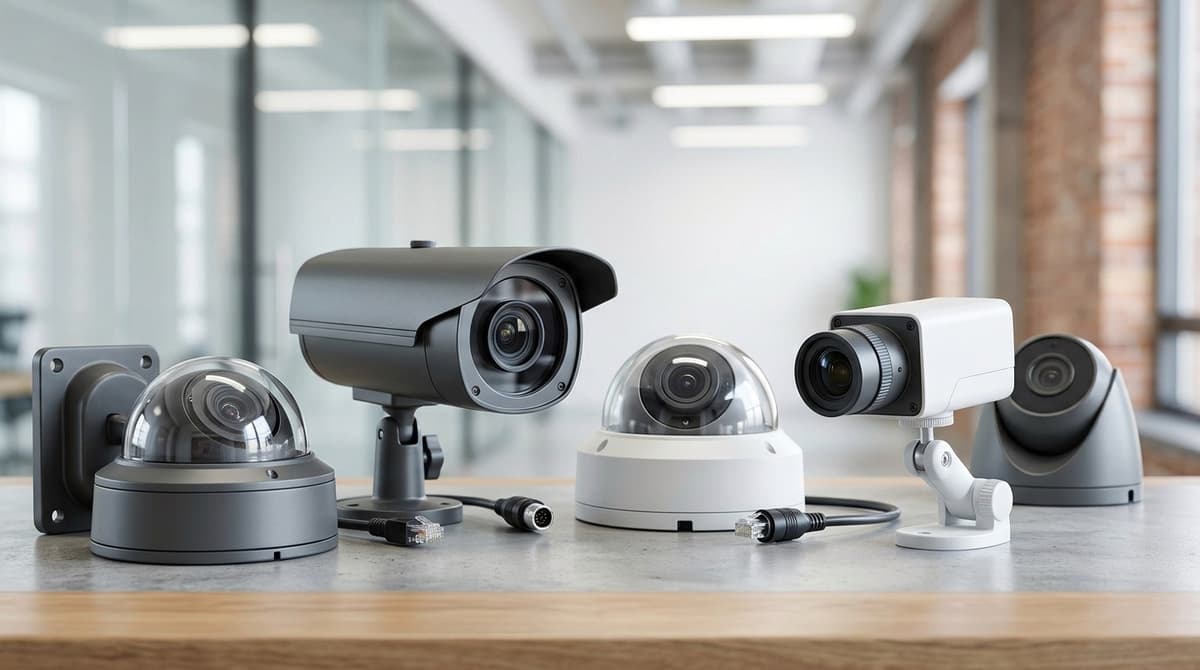
Choose turret or dome for interiors and close faces, bullet for long fixed outdoor views, and PTZ only when an operator must follow activity. Premises layout, not brand, decides which of these belongs where, and our guide to CCTV monitor display types covers how the viewing side fits in.
This matrix is installer design guidance, not test results, so every cell is qualitative.
| Premises | Camera type | Decisive spec | Main trade-off |
|---|---|---|---|
| Shop till and entrance (a typical CCTV camera for a retail shop) | Turret or dome | Lens angle that keeps faces readable at the counter | Less detail far from the lens |
| Office, corridor, reception | Dome | Discreet, ceiling-friendly housing | Limited reach down long spaces |
| Yard, car park, building frontage | Bullet | Narrow lens and night-time IR reach | Covers a smaller slice, so more cameras |
| Large warehouse or open site | PTZ plus fixed | Optical zoom and patrol control | Records only where pointed |
Static cameras versus PTZ
A static CCTV camera records everything in its view all the time. A PTZ records only where it is currently pointed, so an incident just outside its frame goes unrecorded.
That is why installers describe PTZ as "frequently misapplied". Use it to follow activity across a wide area, with fixed cameras covering the doors and key choke points.
"Best quality" and HD
Resolution alone doesn't decide quality. Lens choice, sensor and the lighting at the scene shape what you can identify, and one 2026 IP camera buyer's guide makes the same point: the best fit is not the camera with the highest megapixel count. Treat "HD CCTV cameras" as a starting point, then match the lens to the distance you need to cover.
Which specs decide the choice?
Four specs decide it: pixels per metre at the subject, realistic night performance, weather and backlight handling, and a PoE budget that adds up.
Pixels per metre
Resolution on its own says little about what you can identify. What matters is how many pixels land on each metre of the scene at the subject's distance. The standard for this is BS EN 62676-4, which sets density tiers running from simply seeing that someone is present, through recognising a known person, to identifying a stranger's face. The identification tier needs far more pixels per metre than general observation, so a till or entrance needs a tighter view than a car park.
The formula is: pixels per metre = horizontal resolution in pixels ÷ scene width in metres at the subject distance. Widen the lens and the scene width grows, so the density drops. That is why a wide-angle HD CCTV camera can lose to a narrower-lens model with fewer megapixels.
Low-light and IR
Treat the quoted IR range as a ceiling reached in ideal conditions, not a promise. Compare it with the distance to the subject, and leave a margin. Then read the sensor size and the minimum-illumination (lux) figure, since a larger sensor with a lower colour-mode lux figure usually gives cleaner night images. A "0 lux" claim typically relies on the IR LEDs being on.
IP rating and WDR
IP66 means dust-tight and protected against powerful water jets. IP67 means dust-tight and protected against temporary immersion. The two are tested separately, so IP67 does not automatically cover jet exposure.
WDR matters where a bright background swamps the subject. That means glazed shop fronts, so check this for any CCTV camera for a retail shop, and loading-bay doors. Look for the WDR figure in dB on the datasheet.
PoE budget and ONVIF
Add up each camera's datasheet wattage, using the maximum with IR on, and compare the total with the switch's overall PoE budget, not just its per-port limit. Leave headroom.
ONVIF conformance makes mixing brands possible, but it does not guarantee that analytics or smart-codec features will work through a different maker's NVR. Check the NVR's supported-device list before ordering.
What works in a small office, shop frontage or restaurant?
Offices need face-height interior coverage, shop frontages need backlight control, and restaurants need wide-angle domes that cope with heat and grease.
Small office
A discreet interior turret or dome aimed at the entrance and reception, mounted at face height, covers most of what an office needs. Judge it on how many pixels land on a face at your actual door-to-camera distance, not on IR range, because offices are usually lit. A 4MP camera is the sweet spot for most sites, according to Forasoft's IP camera guide.
Keep the PoE load small. Add up each camera's rated draw and compare it with the switch's total PoE budget, not just its port count.
Retail frontage
Use an outdoor-rated camera with WDR (wide dynamic range) on the entrance, plus a separate close-range camera for faces at the door. A glass door puts bright daylight behind every customer, and a camera without WDR will record silhouettes. The second camera, set at head height and close to the threshold, is what captures identifiable faces. Layout and costs are in the zone-by-zone shop guide, so I won't repeat them here.
Restaurant interior
A wide-angle dome can cover the tills, the kitchen pass and the entrance from ceiling height. Dim dining areas next to a bright kitchen are a mixed-lighting problem, so WDR helps here too.
High ceilings put the subject further away and at a steeper angle, so favour more resolution and mount where faces, not the tops of heads, are in view.
Steam and grease are why the IP rating matters in the kitchen. IEC 60529 sets the code, and the datasheet should state a dust- and water-resistant rating. Before aiming any camera at staff areas, check the ICO's CCTV guidance.
What suits a yard, loading bay or multi-site estate?
Yards and loading bays suit long-throw bullets or a PTZ plus a gate camera, while multi-site estates suit matching camera models and an NVR at each site.
Yard or loading bay
- Coverage: use a varifocal bullet for a fixed boundary or dock face. A PTZ can follow movement across a wide area, but it only watches one spot at a time, so pair it with fixed cameras.
- Gate: give the entrance its own camera, aimed at vehicles and faces rather than shared with the wider yard view.
- Weather rating: IP66 withstands powerful water jets and IP67 withstands temporary immersion, both under IEC 60529. Either is reasonable outdoors.
- IR range: the quoted figure is a best case. Compare it with the actual distance to your furthest target, and add lighting if the margin is thin.
- Cable run: PoE sits within Ethernet's 100 m channel limit. The Cat5e and Cat6 guides cover how cable choice affects distance, so check them before specifying a long run.
Licence-plate-ready, not ANPR
A general-coverage camera shows a scene. A plate-capture camera has to make the plate legible at the moment a moving vehicle crosses a set point.
That means a narrow field of view and a modest angle to the direction of travel. It also needs a fast enough shutter to freeze movement, and lighting you control, because IR bounces hard off reflective plates and headlights wash them out.
Even then, you get footage a person reads. Dedicated ANPR is a separate product class with its own recognition software, so don't expect a plate-ready camera to log or match plates for you.
Multi-site estate
- One model across sites: matching cameras mean shared spares, copied settings and a single datasheet to work from.
- An ONVIF-friendly NVR per site: each location keeps recording if the connection drops. ONVIF support varies by feature, so confirm each camera and recorder pairing against the datasheets.
- Remote viewing: use the recorder's own app or software, and check what your chosen NVR actually supports before assuming cloud features.
- Signage and purpose: each site needs its own signage and documented purpose under UK GDPR and the ICO's CCTV guidance.
How do you check PoE, NVR and install before ordering?
Check that the combined camera wattage fits the PoE switch budget with spare capacity, and that the NVR has enough channels and the right codec. Do this before you order, because a shortfall usually means replacing the switch or recorder.
The PoE sum
Take each camera's power draw from its datasheet, add them up, and compare the result with the switch's total PoE budget:
camera 1 W + camera 2 W + … + camera n W ≤ switch PoE budget (W), minus headroom
Use the budget for the whole switch, not the per-port rating. Leave headroom for cameras you may add later and for infrared night modes, which can raise draw. The same sum applies to an NVR with built-in PoE ports. Our PoE switch guide covers sizing in more detail.
The NVR check
Count the channels you need now plus any planned additions. Then confirm the recorder supports the codec your cameras output and the resolution per channel. H.265 needs roughly half the storage of H.264 at similar quality, according to Forasoft, which affects how large a drive you need. Our best NVR guide covers the trade-offs.
Fitting the kit
For business CCTV installation, your own electrician or installer fits the equipment; Clear Security only sells it. The product datasheet or installation guide is the reference for mounting, wiring and settings.
Cameras in workplaces carry legal duties, so read our CCTV law and compliance guide before you finalise positions.
When your numbers add up, browse the range at Clear Security or ask for a suggested system.
Related products
Related products from our own range:
- VIPER PRO 5MP 3K ColorVu Camera - 24-Hour Smart Light — VIPER PRO 5MP 3K ColorVu camera with 24-hour smart light for full-colour CCTV footage in low light. Prices include VAT. Free UK delivery over £100.
- Hikvision 3K Two Way Audio Fixed PT Turret for Coax CCTV — 3K HD-TVI turret camera with built-in mic and speaker, 2960 × 1665 video and 2.8 mm lens. Audio over coax needs a compatible Hikvision DVR. IP67 rated.
- Hikvision 8MP Turret Camera, 4K HD-TVI for Coax CCTV — 8MP 4K analogue turret camera for coaxial CCTV: HD-TVI, AHD, CVI or CVBS output, 60 m infrared night vision and IP67 weather protection. Needs a DVR.
- Hilook THC-T250-M-R 5 MP Turret Camera — Hilook 5 MP turret camera with 20 m infrared night vision, IP66 housing and four switchable outputs. Prices include VAT. Free UK delivery over £100.
Recommended products
From our own range — picked for what this guide covers.
- VIPER PRO 5MP 3K ColorVu Camera - 24-Hour Smart LightVIPER PRO 5MP 3K ColorVu camera with 24-hour smart light for full-colour CCTV footage in low light. Prices include VAT. Free UK delivery over £100.View product →
- Hikvision 3K Two Way Audio Fixed PT Turret for Coax CCTV3K HD-TVI turret camera with built-in mic and speaker, 2960 × 1665 video and 2.8 mm lens. Audio over coax needs a compatible Hikvision DVR. IP67 rated.View product →
- Hikvision 8MP Turret Camera, 4K HD-TVI for Coax CCTV8MP 4K analogue turret camera for coaxial CCTV: HD-TVI, AHD, CVI or CVBS output, 60 m infrared night vision and IP67 weather protection. Needs a DVR.View product →
- Hilook THC-T250-M-R 5 MP Turret CameraHilook 5 MP turret camera with 20 m infrared night vision, IP66 housing and four switchable outputs. Prices include VAT. Free UK delivery over £100.View product →
Frequently asked questions
What is the best CCTV for business?
No single camera wins. The right one depends on how far it sits from the face or plate you need, the light and glare it faces, and whether your NVR and PoE switch can carry it. Forasoft suggests 4MP suits most sites, but check each datasheet against your premises.
Which type of CCTV camera is best?
It depends on the location. Turret and dome cameras suit interiors and sheltered entrances, bullets suit long fixed views such as yards and shop fronts, and PTZ suits large open areas. PTZ is often misapplied, so choose the type for the job rather than a universal winner.
What are the best security cameras for business?
Choose by premises: turret or dome for offices and restaurants, bullet for shop fronts and yards, PTZ for estates. Put field of view, low-light performance and glare handling ahead of headline resolution. Forasoft says H.265 needs roughly half the storage of H.264 at similar quality, so check recorder support.
Which CCTV camera suits a retail shop?
Cover the entrance for faces and add a dome over the till and aisles. Shop fronts often face glare, so check the datasheet for wide dynamic range and low-light performance. Confirm your NVR channels and PoE budget before buying, so the system can carry every camera you plan.
Are CCTV cameras allowed in the workplace?
Generally yes in the UK with a legitimate purpose, but footage of people is personal data under UK GDPR. Use clear signage, record only what you need, and keep cameras out of private areas such as toilets. Check current ICO guidance before installing.
Sources & references
Shop this topic
- business
- cctv
- cameras
Written by
Clear Security Editorial Team
Buying guides researched against the equipment we stock, with every specification checked back to the manufacturer's datasheet and UK guidance reviewed before publication.
Related reading
- 4MP vs 8MP CCTV Cameras: What the Difference Means in 2026what does 4mp vs 8mp mean for cctv cameras
- GDPR and CCTV Cameras: UK Buyer's Guide for 2026gdpr cctv cameras
- Business CCTV Installation Guide UK 2026: Survey to Handoverbusiness cctv installation
- Warehouse CCTV Cameras: How to Pick & Place 2026cctv cameras for warehouse
- Business CCTV Systems UK: 2026 Cost & ROI Guidebusiness cctv systems
- Home CCTV Systems UK 2026: Wired or Wireless?home cctv systems uk