
hd over coax camera
HD Over Coax Camera Systems: UK Guide for 2026
Usually, yes: if your existing RG59 coax is sound and properly terminated, it can carry HD video, so you can often keep the cable and upgrade only the cameras…
On this page
- HD over coax: can your existing RG59 carry HD video?
- Cable inspection checklist
- How far can the run be, and how do you power the camera?
- Distance
- Power
- Do you need a balun or transceiver?
- Power over coax is a compatibility question
- Where HDMI fits
- AHD, HD-TVI or HD-CVI: which should you choose?
- Multi-format cameras take the pressure off
- Brand features are tied to the recorder
- When should a legacy site switch to IP instead?
- Stay on coax when
- Switch to IP when
- Coax to IP camera converter
- Fitting
- Related products
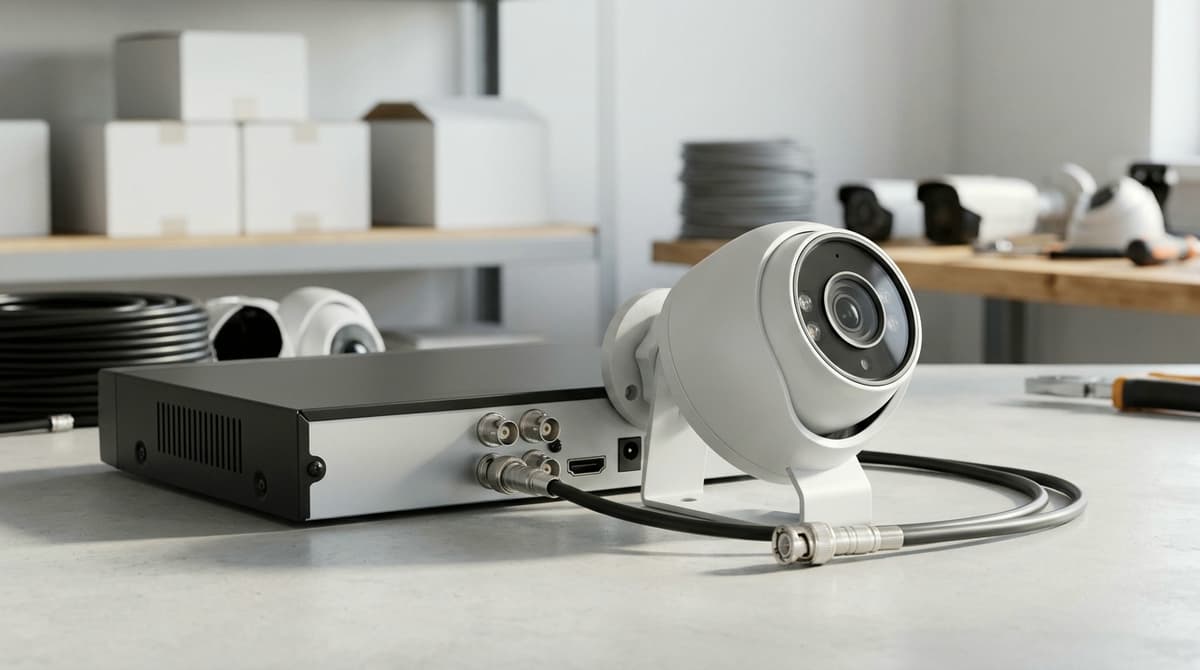
Usually, yes: if your existing RG59 coax is sound and properly terminated, it can carry HD video, so you can often keep the cable and upgrade only the cameras and the recorder. The catch is that the DVR must change too, because an old analogue recorder can't decode an HD-over-coax signal (AHD, HD-TVI or HD-CVI). Before you buy anything, check the cable itself, since crushed or water-damaged runs, twist-on BNCs and cheap copper-clad steel cable cause most of the softness and noise blamed on cameras.
HD over coax: can your existing RG59 carry HD video?
Usually yes, provided the cable is in sound condition, but the old analogue DVR has to be replaced with an HD-compatible recorder. The cameras change too.
Hikvision's Turbo HD 3.0 brochure says HD video is possible without moving to IP cameras or replacing the existing cabling structure. Its Turbo HD material dates the HD-TVI standard to 2013, so sending HD through coaxial cable is a mature approach rather than a novelty.
Cable inspection checklist
This is general installer guidance, not a manufacturer requirement. Check the run before you condemn the new camera:
- Confirm it is genuine RG59 or siamese (video and power in one jacket), not unmarked or thin cable of unknown origin.
- Inspect outdoor runs for crushing, kinks and water ingress.
- Look for old joints and twist-on BNC connectors.
- Check for copper-clad steel cores and a sparse braid. A magnet or a snipped sample end will show you.
- Re-terminate with good-quality BNCs before blaming the camera.
If a run fails these checks, replace that run rather than the whole system.
How far can the run be, and how do you power the camera?
Check the camera's datasheet for its maximum run length, which tends to fall as resolution rises; power is normally 12V DC, sent separately or via siamese cable.
Distance
Higher-resolution HD-TVI tolerates less cable than 1080p, so a 4K camera on a long, tired run is the likeliest to give a noisy or dropped picture. Read the quoted maximum for the exact model and note which cable type the figure assumes. Manufacturers usually quote their best case.
As an example, the Speco HTINIT601TA datasheet for a 2MP HD-TVI turret lists "signal distance up to 1600 feet" (about 490 m) with a footnote. Treat that as a best-case figure for that one model, not a rule for other cameras or standards.
When reusing old cable, test the longest run first. If it holds a clean picture, the shorter ones will too.
Power
Fixed cameras are typically 12V DC, as on the Speco model above, which accepts 12VDC or 24VAC. Siamese cable carries video and power in one jacket. Plain coax needs a separate power feed at the camera, or a power distribution box if you are feeding several cameras from one point.
On long runs of thin power cores, voltage drop can leave the camera under-volted. This shows up as resets or infrared that won't switch on at night. Measure the voltage at the camera end with the camera drawing full load, and compare it with the datasheet's stated operating range.
Do you need a balun or transceiver?
No: a camera wired to a recorder in coax with BNC connectors at both ends needs no balun or transceiver, so don't spend money on one.
A balun only comes into play when twisted pair replaces the coax, for example when you want to reuse spare Cat5e or Cat6. The type to look for is a passive PoC balun with screw terminals for UTP cable. It passes HD-TVI, AHD, CVI and CVBS video, is rated for cameras up to 8MP (4K), and supports power over coax. You'd need one at each end of the run.
Power over coax is a compatibility question
A balun that passes PoC doesn't make a camera PoC-capable. The camera and the recorder or transceiver feeding it must both support power over coax, and the manufacturer's datasheet settles that, not the presence of a BNC connector.
Where HDMI fits
Searches for "coax to HDMI", "coaxial over HDMI" and "HDMI over coax extender" mix up two separate links. HDMI is the recorder-to-monitor connection. The camera cable is coax (or UTP with baluns), and the recorder converts that signal for the screen.
AHD, HD-TVI or HD-CVI: which should you choose?
Choose the format your DVR supports best. AHD, HD-TVI and HD-CVI all carry HD over coax, so the recorder decides, not the format's reputation.
"HD CCTV" is the umbrella term for analogue-HD systems, and AHD, HD-TVI and HD-CVI are the competing flavours under it. An "AHD camera" is therefore one kind of HD CCTV camera, not a different category. HD-TVI is documented by Hikvision as an open standard, introduced in 2013, in its Turbo HD 3.0 brochure.
Multi-format cameras take the pressure off
Many current cameras switch between HD-TVI, AHD, CVI and CVBS. The 3K ColorVu bullet and 3K turret styles, for example, list all four outputs alongside IP67 housings.
That has two practical uses:
- You can buy cameras before settling on a recorder, then set the format to match whichever DVR you pick.
- During a phased swap, cameras can fall back to CVBS on an old analogue recorder and move to an HD format once the new DVR arrives.
Check each datasheet for how the format is selected, since methods vary by model.
Brand features are tied to the recorder
Audio over coax is where brand matching matters most. A camera with a built-in microphone and speaker only gives two-way audio over the coax when the DVR supports that function, and Hikvision's audio-over-coax cameras are specified against compatible Hikvision recorders.
Check the DVR's datasheet for audio-over-coax support before you buy, because the picture working does not guarantee the audio will.
When should a legacy site switch to IP instead?
Switch to IP when the coax is damaged or too long, you need much higher resolution or analytics, or the site is growing. Otherwise, sound existing runs and modest resolution are a good reason to stay.
Stay on coax when
The existing runs are good, the site is small, the budget is tight and 1080p-class pictures are enough. Hikvision positions its Turbo HD 3.0 range as HD video without upgrading to IP cameras or replacing existing cabling. What extra megapixels actually buy is covered in the existing 4MP vs 8MP article, so it isn't repeated here.
Switch to IP when
- Runs are damaged or too long: water-ingressed or kinked coax, or runs beyond the distance the camera datasheet allows, is better replaced than nursed.
- You need far more resolution or analytics: these are IP territory.
- You want one PoE cable: coax cameras usually take separate 12V DC, unless you use siamese cable, which carries video and power together.
- The site is growing: each new camera on an HD-analogue recorder adds to a system you may outgrow.
- Cabling is being replaced anyway: the main saving of coax disappears once you are pulling new cable.
Coax to IP camera converter
An IP camera cannot be plugged straight into an HD-analogue DVR; it needs an NVR or a PoE switch network. Ethernet-over-coax adapter pairs do exist, but they are a separate product with their own limits on range, bandwidth and power. Check the adapter's datasheet before assuming your old runs will carry an IP camera.
Fitting
Clear Security sells equipment only. For installation, use an independent accredited installer (NSI or SSAIB) of your choosing, and ask them to test the existing runs before you commit either way.
Related products
Related products from our own range:
- Hikvision 5MP Audio Turret Camera, 2.8mm, Mic Over Coax — Yes, this Hikvision 5MP turret camera has audio: a built-in mic sends sound over coax to a compatible DVR. 2.8mm wide lens, 40 m night vision, IP67.
- Hikvision 8MP Turret Camera, 4K HD-TVI for Coax CCTV — 8MP 4K analogue turret camera for coaxial CCTV: HD-TVI, AHD, CVI or CVBS output, 60 m infrared night vision and IP67 weather protection. Needs a DVR.
- Hikvision 3K Two Way Audio Fixed PT Turret for Coax CCTV — 3K HD-TVI turret camera with built-in mic and speaker, 2960 × 1665 video and 2.8 mm lens. Audio over coax needs a compatible Hikvision DVR. IP67 rated.
- Hikvision Two-Way Audio Camera, 3K HD-TVI Bullet with Siren — Hikvision two-way audio camera with built-in mic, speaker and siren. 3K HD-TVI bullet with 2.8 mm lens. Needs a compatible DVR recorder with audio over coax.
Recommended products
From our own range — picked for what this guide covers.
- Hikvision 5MP Audio Turret Camera, 2.8mm, Mic Over CoaxYes, this Hikvision 5MP turret camera has audio: a built-in mic sends sound over coax to a compatible DVR. 2.8mm wide lens, 40 m night vision, IP67.View product →
- Hikvision 8MP Turret Camera, 4K HD-TVI for Coax CCTV8MP 4K analogue turret camera for coaxial CCTV: HD-TVI, AHD, CVI or CVBS output, 60 m infrared night vision and IP67 weather protection. Needs a DVR.View product →
- Hikvision 3K Two Way Audio Fixed PT Turret for Coax CCTV3K HD-TVI turret camera with built-in mic and speaker, 2960 × 1665 video and 2.8 mm lens. Audio over coax needs a compatible Hikvision DVR. IP67 rated.View product →
- Hikvision Two-Way Audio Camera, 3K HD-TVI Bullet with SirenHikvision two-way audio camera with built-in mic, speaker and siren. 3K HD-TVI bullet with 2.8 mm lens. Needs a compatible DVR recorder with audio over coax.View product →
Frequently asked questions
Can existing RG59 coax carry HD video?
Usually yes, if the cable is sound. Hikvision's Turbo HD material says upgrading needs no IP cameras and no new cable structure, but the recorder must also change to an HD-compatible DVR. Inspect the run first. Crushed or water-affected outdoor cable, old joints and twist-on BNCs are common problems.
Does coax cable affect picture quality?
The cable doesn't add pixels, but poor cable, long runs and bad terminations can soften the image or add noise. Re-terminate with good BNCs before blaming the camera. To test, temporarily swap one run's ends. If the fault moves with the cable, the cable is the cause.
What is HD CCTV?
HD CCTV sends high-definition video over the original analogue-style coax cabling instead of over a network, as IP cameras do. Hikvision's Turbo HD material dates HD-TVI to 2013. The main formats are AHD, HD-TVI and HD-CVI, and the recorder must support the camera's format.
What coax for CCTV?
RG59, usually with a separate power pair (siamese), is the common legacy type. Confirm it is genuine RG59 rather than unknown, thin cable. Copper-clad steel cores and a poor braid are warning signs. This is general guidance, so check the manufacturer's specifications for distance limits.
What is the difference between AHD and HD CCTV cameras?
AHD is one type of HD CCTV camera, not a separate alternative. HD-TVI and HD-CVI are the other common formats. Match each camera to a compatible DVR, and check whether the recorder accepts several formats before buying a mix of cameras.
Sources & references
- hd
- over
- coax
- camera
Written by
Clear Security Editorial Team
Buying guides researched against the equipment we stock, with every specification checked back to the manufacturer's datasheet and UK guidance reviewed before publication.
Related reading
- CCTV Lens Size for Face Recognition at 10 Metres (2026)what lens size cctv camera do i need to see a face at 10 metres
- CCTV Camera Cost for a Shop UK 2026: Full Guidecctv camera cost for shop
- What Is a Camera Bracket? UK CCTV Guide 2026what is a camera bracket?
- ANPR Camera Cost UK 2026: Hardware, Install and Systemsanpr camera cost uk
- PoE vs IP Camera: Key Differences for UK Buyers (2026)poe vs ip camera
- ANPR Camera for Home UK: What It Reads and Costs (2026)anpr camera for home