
dvr meaning
DVR Meaning in CCTV: What It Is & How It Works
A DVR, or digital video recorder, is the box in a CCTV system that takes the feeds from your cameras and records them to a hard drive so you can review footage…
On this page
- What does DVR mean in CCTV, and how is it different from a DVR on TV?
- How does a CCTV DVR work?
- Closed circuit, local access
- Features you will actually meet
- DVR vs NVR: what actually changes for the installer?
- Hybrid recorders for mixed estates
- When is a DVR still the right choice?
- Upgrading an existing analogue install
- Budget-led small sites
- Mixed estates
- The trade-offs
- How do I size and choose a DVR (and stay compliant)?
- The storage formula
- Matching the recorder to the cameras
- Staying compliant
- Related products
A DVR, or digital video recorder, is the box in a CCTV system that takes the feeds from your cameras and records them to a hard drive so you can review footage later. On a TV, the same acronym means a set-top box that records broadcasts to disk, so the meaning depends on context. For a CCTV purchase, the right recorder depends on your camera type and cabling rather than on which format is newer, so check what you have or plan to install before you compare models.
What does DVR mean in CCTV, and how is it different from a DVR on TV?
DVR stands for digital video recorder. The Cambridge Dictionary lists it as a short form of that phrase, and NIST's CSRC glossary carries the same term. The word means different things on a TV and in a security system.
On a TV, it is a set-top box that records broadcasts to a disk so you can watch later. Merriam-Webster describes it as a device that uses a hard drive for temporary storage of broadcast programmes. In British and Canadian English, Wikipedia notes it is also called a personal video recorder (PVR). That covers searches such as "dvr meaning tv" and "what is a dvr on a tv".
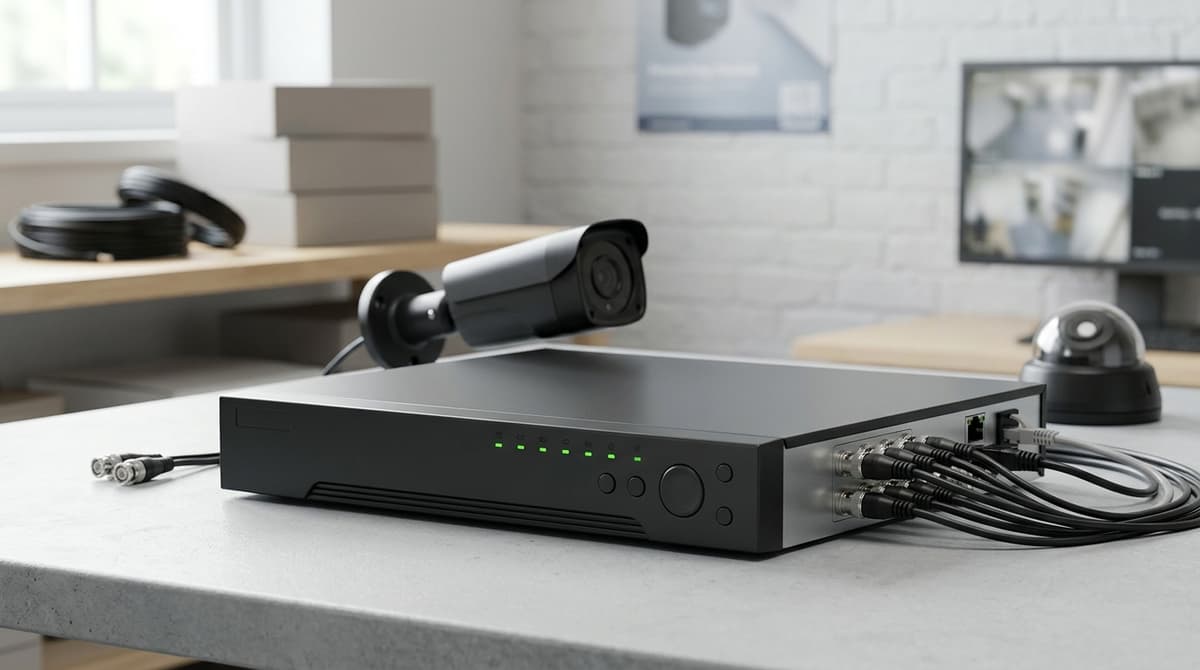
In CCTV, the recorder sits at the centre of the system: it takes the feeds from your cameras, records them digitally and lets you play them back. That is the sense behind searches for "dvr meaning in cctv" or "dvr meaning camera". Our Hikvision 8-ch 5MP 1U H.265 AcuSense DVR is an example. It accepts HDTVI, AHD, CVI, CVBS or IP cameras.
The acronym also has unrelated uses. One result in our research is an engineering paper on the Dynamic Voltage Restorer, a power-quality device. This guide covers only the video recorder, so if you came looking for a military, disability or other specialist meaning, it is not covered here. If you are looking for camera terminology rather than recorder terms, our PTZ camera meaning guide explains pan, tilt and zoom.
How does a CCTV DVR work?
A CCTV DVR takes analogue-type video from cameras over coaxial cable (per Senstar), converts it to digital with an onboard encoder, and records it to an internal hard drive.
Closed circuit, local access
Each camera needs its own physical cable run back to the recorder, which is why this is called a closed-circuit setup. Footage can be reviewed on-site without an internet connection. Cameras also need power, and an installer's guide from BTT notes that each connection may need a splitter to supply it. For coverage planning around car parks, see our CCTV for car parks guide. If you run a licensed premises, our CCTV policy for pubs guide covers the UK legal requirements.
Features you will actually meet
- Channel count: a 4-channel unit takes one to four cameras, and DVR systems reach around 16 channels, per the same BTT guide.
- Motion-detection recording: many models record only when movement is detected, which stretches hard drive space. Check the datasheet for the model you are considering.
- USB backup: a common route for copying clips off the recorder, though support depends on the model.
- Remote viewing: handled through a manufacturer's app.
You can watch DVR recordings on your phone if the model supports a manufacturer app and is connected to your network. For example, the Hybrid DVR H.265 with HIK-Connect: 8 Channel, 8MP offers live view and playback through the HIK-Connect app. Without that network link, you can only review footage at the recorder itself.
Your own electrician or installer fits the system. Browse the range at clearsecurity.co.uk or ask for a suggested system.
DVR vs NVR: what actually changes for the installer?
A DVR digitises the video at the recorder, while an NVR records streams that cameras have already digitised and sent over the network. For the installer, that decides the cable, the camera type and what a later camera swap involves.
| DVR | NVR | |
|---|---|---|
| Camera type | Analogue-output cameras (HDTVI, AHD, CVI, CVBS) | IP cameras |
| Cabling | Coaxial cable from each camera to the recorder | Network cable, usually to a PoE switch or the recorder |
| Where encoding happens | In the recorder | In the camera |
| Camera swap | Like-for-like swap on existing coax is often straightforward | Needs a compatible IP camera; check protocol support |
The practical question is whether the existing cable can be reused. Coax already in the walls points towards a DVR or hybrid. A new build, or a site where fresh cable is cheap to pull, points towards an NVR.
Hybrid recorders for mixed estates
Hybrid recorders bridge the two. The Hikvision 8-ch 5MP 1U H.265 AcuSense DVR accepts HDTVI, AHD, CVI, CVBS or IP cameras, recording at up to 5MP Lite/12fps. That lets you keep working coax cameras and add IP cameras as budget allows.
Not every hybrid is equal. The 8-channel 8MP hybrid DVR with HIK-Connect is listed for HDTVI, HDCVI, AHD and CVBS analogue cameras, with no IP input named in its description. Check each model's accepted camera standards and IP-channel limits on its datasheet before ordering.
For how network recorders work in depth, see our existing NVR recorder explainer.
When is a DVR still the right choice?
Choose a DVR if you already have working coax runs and analogue-type cameras, or want to avoid re-cabling; choose an NVR if you are cabling from scratch for IP cameras. A DVR needs a physical cable from each camera back to the recorder, so the decision usually comes down to what is already in the walls.
Upgrading an existing analogue install
Keep the coax and swap only the recorder. A hybrid model such as the Hybrid DVR H.265 with HIK-Connect: 8 Channel, 8MP records HDTVI, HDCVI, AHD and CVBS cameras and adds app viewing through HIK-Connect.
Check that your cameras' signal standard is on the recorder's supported list before ordering. Your own electrician or installer handles the swap, so follow the product's datasheet or installation guide.
Budget-led small sites
A DVR works out cheaper overall when you can reuse existing cable, because that removes a major labour item of a re-cable. The saving depends on the state of the cable and the cameras you already own.
Mixed estates
Hybrid DVRs take analogue cameras alongside IP cameras on models that support both. The Hikvision 8-ch 5MP 1U H.265 AcuSense DVR accepts HDTVI, AHD, CVI, CVBS or IP, so you can retain legacy cameras and add IP where needed.
The trade-offs
- One cable per camera. Unlike a networked setup, each camera needs its own run to the recorder, so adding a distant camera means new cabling.
- The recorder sets the ceiling. That same Hikvision 8-channel unit records at up to 5MP Lite at 12fps, however good the camera is.
For a suggested system, browse the range at Clear Security or ask us for a recommendation.
How do I size and choose a DVR (and stay compliant)?
Pick a DVR with at least as many channels as you have cameras today, plus spare for expansion, then size the hard drive to the number of days you need to keep footage. BTT's guide names the variables that drive storage: recording quality, frame rate, camera count and drive size. Motion-based recording settings also affect how quickly a drive fills.
The storage formula
Days of retention ≈ usable drive capacity ÷ (total recording bitrate of all cameras × 86,400 seconds per day)
Take each camera's bitrate from its datasheet and the recorder's limits from the recorder's datasheet. Keep the units consistent, because drives are sold in bytes and bitrates are quoted in bits. Treat the result as an estimate, since the actual bitrate varies with the scene.
H.265 compression cuts storage use, as the 8-channel 8MP hybrid DVR listing notes. Recording only on motion can also stretch a drive, but a busy scene will still fill it faster.
Matching the recorder to the cameras
- The Hikvision 8-ch 5MP AcuSense DVR accepts HDTVI, AHD, CVI, CVBS or IP cameras, and records at up to 5MP Lite/12fps.
- The Hikvision 16-ch 5MP AcuSense DVR has 16 channels and one HDD bay, and supports 16-ch AcuSearch.
- The 8-channel Hikvision DVR with 1TB drive ships with the hard drive pre-installed.
Staying compliant
If your cameras cover anything beyond your own private space, UK GDPR and the ICO's CCTV guidance can apply. Check the current ICO guidance for your situation before you install. At minimum, work out why you are recording, display clear signage, and keep footage no longer than that purpose justifies. Your retention calculation should feed straight into that decision.
Browse the range at clearsecurity.co.uk or ask for a suggested system.
Related products
Related products from our own range:
- Hikvision 8-ch 5MP 1U H.265 AcuSense DVR — 8-channel hybrid DVR accepting HDTVI, AHD, CVI, CVBS or IP cameras, recording at up to 5MP Lite/12fps with H.265 Pro+ compression.
- Hikvision 16-ch 5MP 1U H.265 AcuSense DVR — 16 channels and 1 HDD 1U AcuSense DVR Support 4-ch Facial Recognition or 8-ch advanced model Perimeter Protection based on Deep Learning algorithm Support 16-ch AcuSearch Technology Efficient H.265
- Hybrid DVR H.265 with HIK-Connect: 8 Channel, 8MP — 8-channel hybrid DVR recording HDTVI, HDCVI, AHD and CVBS analogue cameras up to 8MP. H.265 cuts storage use; view live or playback via the HIK-Connect app.
- 8-Channel DVR with 1TB Recording — Hikvision 8MP AcuSense — 8-channel Hikvision DVR (digital video recorder) with a 1TB hard drive pre-installed, ready to plug in and record.
Recommended products
From our own range — picked for what this guide covers.
- Hikvision 8-ch 5MP 1U H.265 AcuSense DVR8-channel hybrid DVR accepting HDTVI, AHD, CVI, CVBS or IP cameras, recording at up to 5MP Lite/12fps with H.265 Pro+ compression.View product →
- Hikvision 16-ch 5MP 1U H.265 AcuSense DVR16 channels and 1 HDD 1U AcuSense DVR Support 4-ch Facial Recognition or 8-ch advanced model Perimeter Protection based on Deep Learning algorithm Support 16-ch AcuSearch Technology Efficient H.265View product →
- Hybrid DVR H.265 with HIK-Connect: 8 Channel, 8MP8-channel hybrid DVR recording HDTVI, HDCVI, AHD and CVBS analogue cameras up to 8MP. H.265 cuts storage use; view live or playback via the HIK-Connect app.View product →
Frequently asked questions
What does DVR stand for?
DVR stands for digital video recorder, a device that records video to a hard drive or other digital storage. In CCTV, it takes feeds from your cameras and stores them for playback. This guide covers the video recorder only, not unrelated uses of the acronym such as Dynamic Voltage Restorer.
What is a DVR on a TV?
A TV DVR is a set-top box that records broadcast programmes to disk so you can watch them later. It is also called a PVR. A CCTV DVR works on the same principle but records camera feeds instead of broadcasts, and it is built for security monitoring.
What does a DVR do in CCTV?
A CCTV DVR receives video from your cameras, compresses it and saves it to internal or external storage. You can then review live or recorded footage. The Hikvision 8-ch 5MP 1U H.265 AcuSense DVR, for example, records at up to 5MP Lite/12fps using H.265 Pro+ compression.
Can CCTV run without a DVR?
Cameras can show a live image without a recorder, but nothing is stored for later review. For saved footage you need a recording device. A DVR suits analogue-style cameras, and hybrid models such as the 8-channel Hikvision above also accept HDTVI, AHD, CVI, CVBS or IP cameras. Match the recorder to your camera type and cabling.
Can I watch DVR recordings on my phone?
Yes, if the DVR supports remote viewing. Group catalogue information describes DVRs that allow live or recorded footage to be viewed remotely on a compatible device. Confirm the model's listed remote-access features before buying, because support varies between recorders.
Sources & references
- What is a DVR? A Beginner's Guide to Digital Video Recorders
- How DVRs Works - Senstar
- All you need to know about CCTV DVR, and if it's the right fit for your business | BTT Comms Ltd.
- DVR | English meaning - Cambridge Dictionary
- DVR definition and meaning | Collins English Dictionary
- Digital video recorder
- DVRS Definition & Meaning - Merriam-Webster
- DVR - Glossary | CSRC
Shop this topic
- dvr
- meaning
Written by
Clear Security Editorial Team
Buying guides researched against the equipment we stock, with every specification checked back to the manufacturer's datasheet and UK guidance reviewed before publication.