
dvr box
DVR Box for CCTV UK 2026: DVR vs NVR Guide
Keep a DVR box if good coax is already in the walls and your cameras are analogue HD.
On this page
- What does a DVR box do for CCTV, and is it the same as a TV box?
- DVR or NVR for CCTV in the UK: start with the cable
- When is a DVR box still the right call?
- Budget retrofits on existing coax
- Hybrid DVRs for adding a few IP cameras
- Where coax falls short
- When does an NVR win, including for remote access and GDPR controls?
- PoE budget (general guidance)
- GDPR-friendly controls (general guidance)
- What about DVR box size, cover, installation and beeping?
- Size and cover
- Installing a DVR box
- Why a DVR box beeps
Keep a DVR box if good coax is already in the walls and your cameras are analogue HD. Choose an NVR for new IP/PoE builds, higher-resolution cameras and remote access. The qualification is that you don't have to switch everything at once: a hybrid DVR can record existing coax cameras alongside IP ones, so you can upgrade in phases without re-cabling the whole site.
Check the recorder's supported IP channels before you buy. In CCTV, a "DVR box" is the recorder for your cameras, not the set-top box that records TV channels.
What does a DVR box do for CCTV, and is it the same as a TV box?
In CCTV, a DVR box digitises, encodes and stores footage from analogue or HD coax cameras on its hard drive for playback and export. It is not the same as a TV box, which records broadcast channels instead.
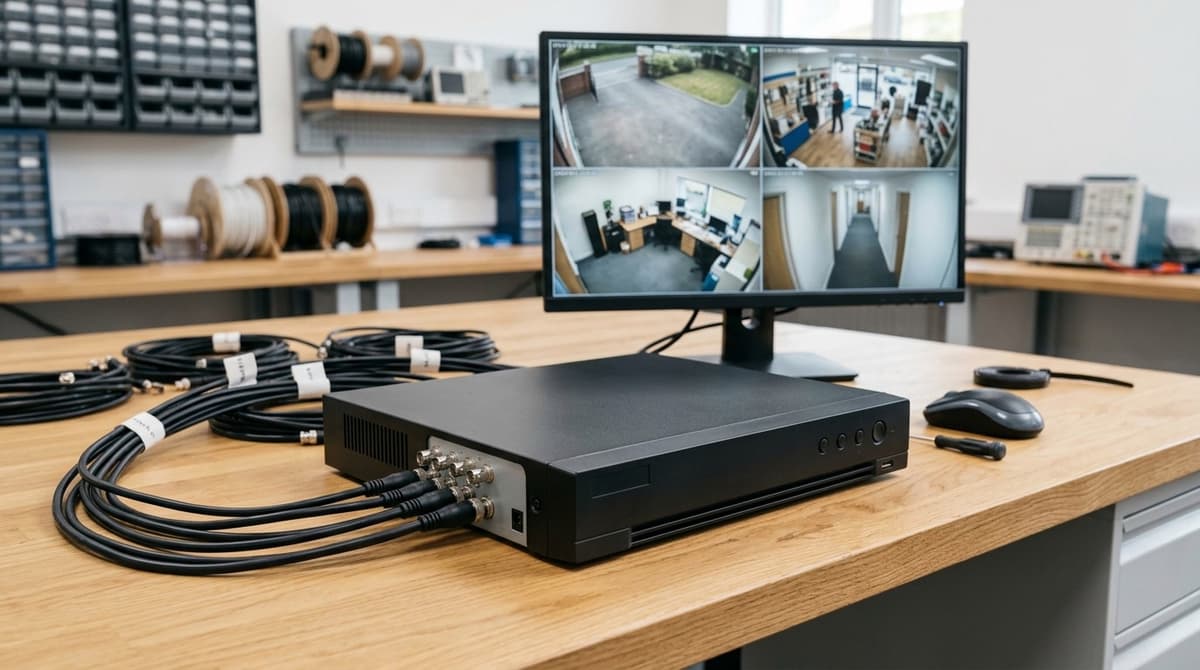
In CCTV, a DVR box is the recorder that digitises, encodes and stores footage from analogue or HD coax cameras. Each camera connects to the box by coax, and the recorded video sits on its hard drive for playback and export. Drives sold with a recorder here are supplied pre-fitted before dispatch.
No, it is not the same as a TV box. A TV set-top or PVR box records broadcast channels, so a "dvr box for tv" search is about a different product. The ADTH NextGen TV Box, for example, pairs an over-the-air tuner with 64GB of built-in storage. Clear Security sells CCTV recorders only.
What is a DVR box on a TV? It is a tuner with storage that lets you pause, rewind and record live programmes. It has no camera inputs.
What is a DVR box used for? In security work it records and plays back camera footage, usually with motion-triggered clips and remote viewing.
A search for a "DVR box for cameras" usually means the reader wants a recorder that fits their setup. Match it to your camera type (analogue or HD coax) and to the number of cameras, so the box has a free input for each one.
DVR or NVR for CCTV in the UK: start with the cable
If working coax already exists, a DVR is usually the cheapest route. Where Cat5e/Cat6 exists or cable is easy to pull, choose a PoE NVR, since the recorder is the smaller cost either way.
If the walls already hold working coax, a DVR is usually the cheapest route. Where Cat5e/Cat6 exists, or cable is easy to pull, choose a PoE NVR. The recorder is the smaller cost either way.
- Existing coax with working analogue HD cameras: Keep the cable and cameras and replace only the recorder. A DVR box for CCTV reuses the RG59 or RG6 run and the separate power feed, so nothing is re-pulled. The HD Over Coax Camera Systems guide covers which camera formats the cable will carry, so check it before ordering.
- Existing Cat5e/Cat6, or a new build: An NVR with PoE needs one network cable per camera, carrying both data and power. Ethernet runs are typically limited to around 100 m, so check your longest camera position against that.
- Mixed estate: A hybrid DVR that accepts IP channels lets the coax cameras stay while new IP cameras join over the network. Alternatively, stage the migration, replacing cameras and cable one area at a time and moving to an NVR once most positions are on network cable.
Re-pulling cable is often where the money goes. Drilling, making good and labour can outweigh the price of the recorder, and your own electrician or an independent accredited installer (NSI or SSAIB) will price that. If the existing coax still works, swapping to IP just for the sake of it can cost more than it returns.
For a quote on a recorder that matches your cable, browse the range at Clear Security or ask for a suggested system.
When is a DVR box still the right call?
A DVR box still makes sense when you already have sound cameras and coax and want the cheapest route to recording, without paying to re-cable the building.
Budget retrofits on existing coax
If the cameras work and the cable runs are intact, swapping in a new recorder is usually far cheaper than replacing everything. The trade-off is that analogue HD resolution and remote-viewing features are more limited than on an IP system. If you want fine detail or more capable app features, plan for IP instead.
Hybrid DVRs for adding a few IP cameras
A hybrid DVR takes your existing analogue cameras and lets you add some IP ones without rewiring the whole site. The supported channel mix and maximum resolution differ from model to model, so check the datasheet before buying. Don't assume a 16-channel box can run 16 IP cameras.
Where coax falls short
Coax carries only video, so each camera needs power separately. That means either a power supply per camera or a power distribution box, and both add mains work for your electrician to plan around.
PoE avoids this by carrying data and power on one network cable. On a new build, or wherever cabling is being replaced anyway, that usually tips the decision towards IP.
When does an NVR win, including for remote access and GDPR controls?
An NVR wins on new IP/PoE builds, on cameras whose resolution outgrows coax, and wherever app viewing matters. In practice, the PoE budget decides whether the build works.
If you're specifying a dvr box for cameras that are IP rather than analogue, an NVR is the natural recorder: one Ethernet cable carries power and video. Our 4K and 4MP vs 8MP guides cover when higher resolution is worth paying for. Remote viewing through a manufacturer app is also standard on IP systems. Change default passwords and avoid exposing the recorder directly to the internet.
PoE budget (general guidance)
Two limits apply: the total power draw and the cable length. Ethernet runs are limited to 100 m.
number of cameras × watts per camera ≤ PoE budget of the switch or NVR
Take the watts-per-camera figure from each camera's datasheet. Infrared and PTZ models usually draw more than basic fixed units.
GDPR-friendly controls (general guidance)
Look for these in an NVR:
- Configurable overwrite and retention, so footage is not kept longer than your stated purpose needs.
- User access levels, so only named people can view or export.
- Controlled export, so you can supply a clip without handing over the whole drive.
The ICO CCTV guidance applies to the data controller, typically a business or organisation. Purely domestic use is treated differently. Whether these controls are enough depends on your own purpose and documentation, so read our existing GDPR pages before relying on a recorder's settings alone.
What about DVR box size, cover, installation and beeping?
Check the datasheet for size, have your own installer fit it, and treat beeping as a likely drive or setup fault.
Size and cover
DVR box size isn't standardised. It varies with channel count, the number of drive bays and the casing format, so read the dimensions on the datasheet before planning a shelf, rack or cupboard.
A DVR box cover or lockable metal enclosure is worth considering where the recorder sits in a shared comms cupboard or an accessible equipment room. It stops casual tampering and makes theft harder, since the recorder holds the footage. Allow space inside for cable bends and airflow.
Installing a DVR box
Clear Security sells the equipment and doesn't fit it. Installation is done by your own electrician or an independent accredited installer (NSI or SSAIB). The datasheet or installation guide for your recorder gives the setup steps.
Drives bought with a recorder are supplied pre-fitted before dispatch, so the unit arrives ready for first power-up. If you add a drive later, follow the manufacturer's guide for your model.
Why a DVR box beeps
Beeping usually signals a hardware or storage fault. The common causes are a faulty drive or a drive the recorder can't detect.
The beep pattern differs between manufacturers, so look it up in your model's manual. Then check the drive connections and the drive's status in the recorder's menu before assuming the unit has failed. If the fault persists on a recently bought unit, you have 30 days to reject faulty goods.
Frequently asked questions
What is a DVR box and how does it work?
In CCTV, a DVR box is the recorder that takes analogue or HD coax feeds from cameras, then digitises, encodes and stores the footage on its hard drive for playback. It suits sites where coax cabling is already in the walls. IP cameras need an NVR or a hybrid DVR. [general guidance]
What is a DVR box on a TV?
A TV set-top or PVR box records broadcast channels for later viewing. It is a different product from a CCTV recorder. This site sells CCTV recorders only, so for TV set-top setup, such as on an LG, follow your TV or service provider's instructions. [general guidance]
How to install a DVR box?
Place it somewhere ventilated and secure. Connect each camera's coax run to a channel input, confirm a hard drive is fitted, then connect a monitor, network and power. A lockable metal enclosure in a comms cupboard or equipment room helps guard against tampering. Follow your recorder's manual for specifics. [general guidance]
Can you buy your own DVR box?
For CCTV, yes. Recorders are bought separately from cameras, so match the channel count and camera type to your system. Check the live category pages for current prices and availability. TV set-top boxes depend on your TV provider and are not covered here. [general guidance]
Should I choose a DVR box or an NVR?
Keep a DVR box if good coax is already in the walls and your cameras are analogue HD. Choose an NVR for new IP/PoE builds, higher-resolution cameras and remote access. A hybrid DVR can bridge the two if you plan a phased upgrade. [general guidance]
Sources & references
- dvr
- box
Written by
Clear Security Editorial Team
Buying guides researched against the equipment we stock, with every specification checked back to the manufacturer's datasheet and UK guidance reviewed before publication.