
cctv for shops
CCTV for shops: zone-by-zone setup guide 2026
No single camera is the best CCTV for a shop.
On this page
- What is the best CCTV for shops, zone by zone?
- How should you cover the till area for fraud and staff accountability?
- Placement trade-offs
- Fraud and refund abuse
- Staff are data subjects too
- Which cameras suit stock rooms, back doors and exits?
- Where it fits, and where it doesn't
- Exits
- What does CCTV for a shop cost, and how much storage do you need?
- The cost formula
- The storage calculation
- How long to keep footage
- Can you have CCTV in your shop, and can customers ask to see the footage?
- If you run the shop
- If you want to see a shop's footage
- Related products
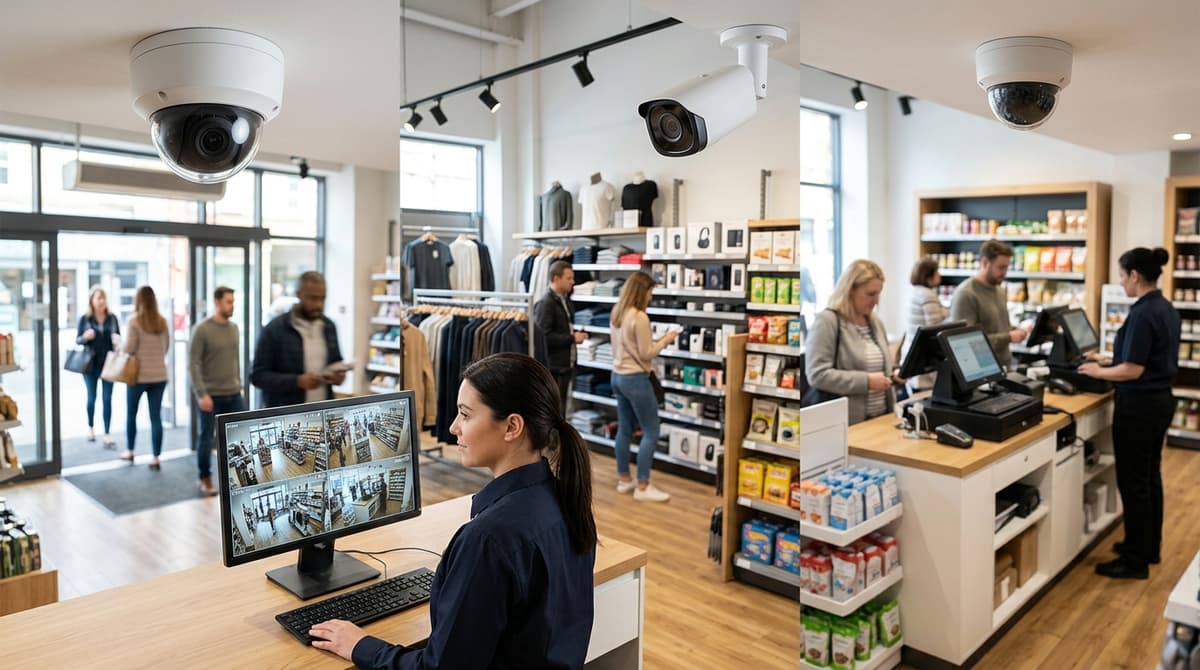
No single camera is the best CCTV for a shop. Cover the till, the stockroom door and every exit first, then the sales floor, and choose each camera for its job rather than buying one model for the whole shop. Cost and compliance follow from that layout, and shop owners must display signage and handle footage requests under data protection law (GOV.UK). For a full walkthrough of picking a system for a shop or home, see our best CCTV system guide for 2026.
What is the best CCTV for shops, zone by zone?
No single camera is best for shops: match the camera type and mounting to each zone, because every area of a shop has a different job to do. The table below is general installer guidance for planning, not tested data.
| Zone | Camera type | Mounting | Aim point |
|---|---|---|---|
| Entrance | Turret or dome with wide dynamic range to cope with doorway glare | Ceiling or high on the wall, facing the door | Faces of people walking in, not the street outside |
| Till/POS | Discreet fixed-lens dome | Ceiling above or behind the counter | Till drawer, the counter surface and the customer's face |
| Sales floor | Wide-angle dome | Ceiling, at aisle ends | Down the length of each aisle rather than across the shelves |
| Stockroom | Vandal-resistant dome with decent low-light performance | Corner of the ceiling | Door and the shelving people reach into |
| Rear door/yard | Weather-rated bullet or turret with infrared | Wall bracket under the eaves, out of reach | The door and the approach path, kept off neighbouring windows |
| Delivery bay | Bullet or varifocal camera with longer reach | Wall or gable above vehicle height | Vehicle approach and the handover point |
I cross-checked these zones against the retail breakdown on Lorex PRO, which groups a store into entrances and exits, checkout, sales floor, receiving and loading, and stockrooms and employee areas.
For an exterior position such as the rear door, the Hilook THC-T240-M-R is a 4 MP turret with 40 m infrared and an IP66 housing. Check its datasheet for lens details before you decide where it can go.
The zone sets the lens and the mounting, not the megapixel count.
For context, the ONS recorded 342,343 shoplifting offences in England and Wales in 2022/23.
How should you cover the till area for fraud and staff accountability?
Give the till its own camera, mounted close enough to show the cashier's hands, the open drawer, the screen and the customer's face in one frame. A wide overview camera may show who stood at the till but not what happened at the drawer.
Placement trade-offs
- Overhead dome: directly above the counter, it sees hands and drawer well but mostly captures the tops of heads, so faces are weak.
- Angled turret: mounted behind or beside the till and aimed at the customer, it can capture the face and the transaction together. The Hilook THC-T240-M-R is a 4 MP turret. Its 40 m infrared range is far more than a counter needs, so the appeal here is the sensor and housing.
- Backlighting: if the customer stands between the camera and a bright shop window, daylight turns them into a silhouette. Aim the camera so the window is behind it, and check the datasheet for wide dynamic range.
- Reach: mount it where someone leaning over the counter can't knock or twist it.
Fraud and refund abuse
Footage supports a fraud investigation but doesn't prove one by itself. Set it beside the till journal, refund log and stock counts, and make sure the recorder's clock matches the till's so events line up.
Some recorders can overlay till transaction text onto the video. Check the specific recorder's datasheet before you rely on it, and confirm your till software can feed it.
Staff are data subjects too
Tell staff the till camera exists and say why it's there, using signage as well. GOV.UK says anyone you've recorded can ask for their images, generally within one calendar month, and that includes employees.
Keep audio off unless you've assessed that it's necessary. ICO-style guidance generally treats sound recording as more intrusive than video.
Which cameras suit stock rooms, back doors and exits?
Stockroom and rear-door cameras should capture faces at the doorway and along the shelving access path, and they must keep working in poor light.
The Hilook THC-T240-M-R 4MP Turret Camera, 40 m IR is our pick for this job. It is a 4 MP Turbo HD turret with 40 m infrared, an IP66 housing and switchable video output.
Where it fits, and where it doesn't
- Rear yards and delivery doors: the IP66 housing and 40 m of IR suit an exposed, unlit position.
- Indoor stockrooms: 40 m of IR is more range than a small room needs, so the weatherproofing and reach are largely surplus indoors.
- Recorder compatibility: this is a Turbo HD (coax) camera, so it needs a recorder that supports that signal type. Check the datasheet before ordering.
Exits
Mount one camera at face height looking at the door, so people are caught head-on as they leave. Add a second, wider view of the approach to show who went in and where they came from.
Keep fire exits clear and unobstructed. As general guidance, make sure no camera, bracket or cable run narrows the escape route or snags the door, and check your placement against your fire risk assessment.
What does CCTV for a shop cost, and how much storage do you need?
The cost of CCTV for a shop depends on four things: how many cameras you fit, how many channels the recorder has, the hard drive size and the length of cable runs. Prices change, so check the live product pages rather than any figure quoted in an article. Prices on Clear Security include VAT.
The cost formula
(cameras × camera price) + recorder + surveillance hard drive + cable, PoE or power accessories
- Cameras: one per area you need covered, such as the door, till and stockroom. A model like the Hilook THC-T240-M-R 4MP turret, which has an IP66 housing and 40 m infrared, is the kind of unit that goes here.
- Recorder: its channel count must be at least your camera count.
- Hard drive: sized using the storage calculation below.
- Cable and power: measure the actual route from each camera to the recorder. Whoever fits the system will work from the installation guide for each product.
The storage calculation
Storage needed = retention days × recording hours per day × bitrate per camera, added up across all cameras. Take each camera's bitrate from its datasheet, at the resolution and codec you will run. A bitrate in megabits per second divided by eight gives megabytes per second. Motion-only recording cuts the hours, but busy shop floors may trigger it often.
How long to keep footage
GOV.UK says to keep images only as long as your business needs them. The law sets no fixed number of days, so choose a period you can justify. The same page says you should usually be able to supply images to anyone you've recorded within one calendar month, so weigh that when choosing.
Orders placed before 4pm are dispatched the same working day and sent by tracked UK courier. See delivery for area details.
Can you have CCTV in your shop, and can customers ask to see the footage?
Yes, you can have CCTV in your shop if you follow data protection law, and anyone you've recorded can ask to see their footage. GOV.UK's guidance on commercial premises sets out what that means for you as the owner.
If you run the shop
- Put up a sign saying CCTV is in use and why you're recording.
- Pay the data protection fee.
- Keep images only as long as your business needs them.
- Share images with the police or other authorities if they ask.
- Provide images to anyone you've recorded, in most circumstances within 1 calendar month. GOV.UK says you usually can't charge a fee for this.
Treat a footage request as a deadline, not a favour. Work out your retention period before you buy storage, because you can't hand over footage that has already been overwritten.
If you want to see a shop's footage
Yes, you can ask a shop for footage of yourself. Put the request in writing and give the date, the approximate time and where in the shop you were, so staff can find the right clip. Ask promptly, as the shop is only supposed to keep images as long as it needs them.
Footage often shows other customers too, so the shop may need to blur or redact them before releasing it. That's general guidance rather than a fixed rule, so expect some variation between shops.
For the detail on compliance, the ICO's CCTV guidance and checklist are linked from the GOV.UK page.
Related products
Related products from our own range:
- Hilook THC-T240-M-R 4MP Turret Camera, 40 m IR — 4 MP Turbo HD turret camera with 40 metres infrared night vision, IP66 housing and switchable video output. Prices include VAT. Free UK delivery over £100.
Recommended products
From our own range — picked for what this guide covers.
Frequently asked questions
What CCTV camera is best for a shop?
No single model suits every shop, so match the camera to each zone: tills, stockroom door, exits, sales floor and delivery bay. The zone sets the lens and mounting more than the megapixel count does. For a rear yard, the Hilook THC-T240-M-R 4MP Turret Camera, 40 m IR offers 4 MP, 40 m infrared and an IP66 housing.
Where should I put cameras in a shop first?
Cover the till, the stockroom door and every exit first, then the sales floor. This puts cameras where cash handling, stock movement and people leaving all happen. Add entrance, rear yard and delivery bay coverage next, choosing each camera for its specific job.
Can I have CCTV in my shop?
Yes, but you take on legal duties. GOV.UK says commercial premises owners must display CCTV signage and handle requests for footage under data protection law. Plan signage and a process for footage requests at the same time as the camera layout, not afterwards.
Can you ask to see a shop's CCTV?
Yes. If you appear in the footage, you can request it from the shop, and the shop must handle that request under data protection law. Give the date, time and location so staff can find the clip. The shop may need to protect other people's images.
What should a shop expect to pay for CCTV?
There is no single price, because cost depends on how many zones you cover, which cameras each needs, the recorder and installation. Count cameras per zone first, then price them. Prices on Clear Security product listings include VAT, with free UK delivery over £100.
Sources & references
- cctv
- shops
Written by
Clear Security Editorial Team
Buying guides researched against the equipment we stock, with every specification checked back to the manufacturer's datasheet and UK guidance reviewed before publication.
Related reading
- Home CCTV Systems UK 2026: Wired or Wireless?home cctv systems uk
- Best CCTV System 2026: How to Choose for UK Homes and Shopswhat cctv system is the best
- CCTV Christmas Shopping Season 2026: UK Readiness Guidecctv during christmas shopping season uk
- CCTV Lens Size for Face Recognition at 10 Metres (2026)what lens size cctv camera do i need to see a face at 10 metres
- 4MP vs 8MP CCTV Cameras: What the Difference Means in 2026what does 4mp vs 8mp mean for cctv cameras
- CCTV Checklist for Dark Evenings: UK Guide 2026cctv checklist dark evenings