
cctv during christmas shopping season uk
CCTV Christmas Shopping Season 2026: UK Readiness Guide
Before Christmas, CCTV is mostly a job of proving the system you already have works: that cameras cover the tills, stockroom, back door or front door, that…
On this page
- What does CCTV actually need to do during the Christmas shopping season?
- Weeks 6-5: Where should cameras go for queues, tills and stockrooms?
- Shops
- Homes
- Weeks 4-3: How do you check recording, retention and playback before the busy weeks?
- The retention formula
- The test sequence
- Why export is the one that bites
- Weeks 2-1: How do you set up remote alerts for out-of-hours and holiday travel?
- Shops
- Homes
- Network and access
- What does a go-live test schedule look like through the rush?
- Fix first, buy second
Before Christmas, CCTV is mostly a job of proving the system you already have works: that cameras cover the tills, stockroom, back door or front door, that footage is actually being recorded, that you can play it back, and that alerts reach a phone someone will check. Buying more cameras comes second. Any fix that needs new kit or an electrician, such as a dead camera, a failing recorder or a missing power point, should be started first, because those are the jobs that run out of time. If a bigger or cheaper set is tempting, fix the gaps in coverage and recording before you spend on extra cameras.
What does CCTV actually need to do during the Christmas shopping season?
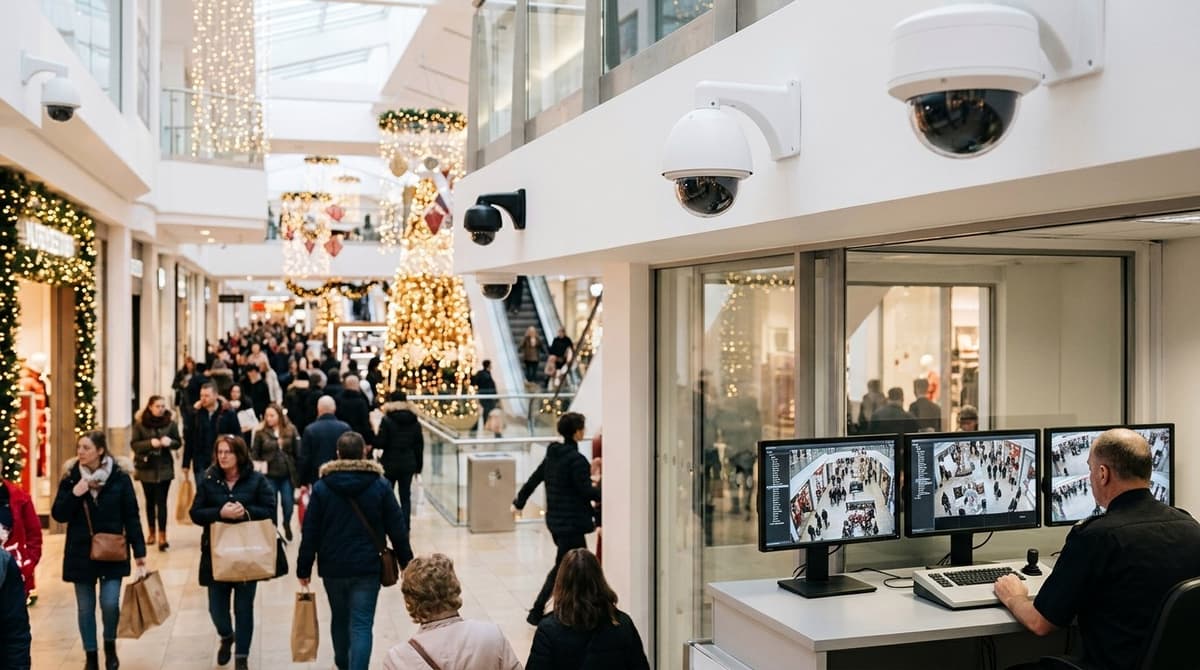
During the Christmas peak, CCTV has to cover four risks: crowded trading floors, high-value stock, back-door access during deliveries, and empty homes or doorstep parcels. This is general guidance, not a legal checklist, and the right mix depends on whether you are protecting a shop or a house.
- Crowded trading floors: Cameras need to be watched live, not just recorded. Norfolk Police's Operation Wonderland relies on a King's Lynn council control room with more than 11,000 CCTV feeds, and Insp Ben Jarvis told BBC News (29 Nov 2024) they "wouldn't be able to do half of the things we do" without it.
- High-value stock: Visible deterrence matters as much as evidence. The Grocer (5 Sep 2025) reported that Waitrose's public-view monitors, which display "recording in progress", are now in more than half of its shops.
- Stockroom and back door: Delivery days mean doors propped open and unfamiliar faces. Put a camera on the door itself and another on the approach, so you can see who came in and what left.
- Empty homes and doorstep parcels: BBC News (28 Nov 2025) cites experts predicting £34bn of online Christmas spending. It also reports more than £660m of parcels stolen in the past year, almost £290m more than in 2024. A doorstep camera with a clear view of the porch is the minimum for a house.
Weeks 6-5: Where should cameras go for queues, tills and stockrooms?
Cover four spots: the till and queue, the door at face height, the high-value display, and the stockroom with its back door. Homes need fewer cameras, placed at the front door and parcel drop, the side gate and the rear access.
Shops
- Till and queue: angle the camera so one frame shows the customer's face and the hands on the counter. A view from directly above shows neither.
- Entrance and exit: mount at face height, facing people as they come in or go out. A high camera looking down mostly records the tops of heads.
- High-value display: give the stand its own view rather than relying on the wide shot.
- Stockroom and back door: cover the delivery window so the footage shows who enters, who signs and what leaves.
Whether a face is identifiable at a given distance comes down to lens and resolution. The lens-size and 8MP articles on this site cover that, so check them before choosing a model.
Festive window displays and bright doorways cause the trouble. Flashing lights, tinsel and a bright door behind a customer can turn a face into a silhouette. Judge this on the live image with the decorations switched on, at the times of day you trade, not from a daytime install.
Homes
The front door and parcel drop zone matter most. Retail experts quoted by BBC News predicted £34bn of online festive spending, which means a lot of parcels on doorsteps. Add the side gate and the rear access, since both are usually out of sight of the street.
Clear Security sells the equipment but does not fit it. Fitting, repositioning or running new cable should be done by your own electrician or an independent installer accredited with NSI or SSAIB. The product datasheet or installation guide will tell them what each camera needs.
Weeks 4-3: How do you check recording, retention and playback before the busy weeks?
Check the clock, drive and recording mode, export a test clip from a till camera, then compare the oldest footage with your retention target.
The retention formula
Storage needed = number of cameras × bitrate per camera × recording time ÷ 8. Take the bitrate from the NVR's or camera's settings page, not from a brochure, because it depends on the encoding settings you actually run. Keep the units consistent: megabits per second multiplied by seconds gives megabits, and dividing by 8 converts to megabytes.
Work it backwards to answer "how long does CCTV last in shops". Retention in days is the drive capacity divided by what your cameras write per day. No standard figure appears in the sources for this, so the right number is however long it takes you to discover an incident, such as a weekend closure, a returns dispute or a delayed police request. The NVR sizing guide covers the sizing side in more detail.
The test sequence
- Clock and time zone. Confirm the date, time and daylight-saving setting after the BST to GMT switch at the end of October. A recorder an hour out makes footage hard to match against till logs, and that matters if the clip becomes evidence.
- Hard drive status. Open the storage menu and look for a normal status, with no uninitialised or error flags.
- Recording mode. Check whether each channel runs continuous or motion-triggered recording, and that the schedule covers trading and closed hours.
- Oldest footage. Find the earliest playable date and compare it with the retention days you calculated.
- Export and replay. Export a clip from a till camera by USB stick or browser download, then play it on a different device from the recorder.
Why export is the one that bites
A recorder that records but cannot export is the commonest failure. This is general guidance from installer experience, not a measured statistic. Exports often need the manufacturer's player or a particular file format, and the first time anyone finds out is when the police or an insurer asks for a clip. Test it now, while there is time to fix it.
Weeks 2-1: How do you set up remote alerts for out-of-hours and holiday travel?
Schedule alerts only for the hours and zones where activity is unexpected, then test the push notification on mobile data before you leave. Two weeks out is enough time to tune it.
Shops
Set one schedule for closed hours covering the back door, stockroom and yard, and a separate, narrower one for the delivery window. During deliveries, keep alerts on the rear entrance only, so you get a glance-and-dismiss prompt rather than a flood from every camera.
Draw detection zones around doors and thresholds instead of using whole-frame motion. If your recorder offers person or vehicle filtering, use it. Alerts triggered by passing traffic or swaying decorations teach staff to ignore their phones.
Homes
For an empty house, three views matter: the front door, the driveway and wherever parcels land. The BBC reported retail experts predicting £34bn of online shopping over the festive period, which is why the doorstep deserves its own alert zone.
Test properly:
- Walk through each zone and time how long the push notification takes.
- Switch your phone's Wi-Fi off and open live view on mobile data.
- Check that battery saver and do-not-disturb modes aren't silencing the app.
Network and access
Alerts depend on broadband. If the line drops while you're away, the recorder should keep recording locally, but nothing reaches your phone until the connection returns. Check the recording on the hard drive rather than assuming the alert system caught everything. A router with mobile-data failover is one option if the premises can't afford a silent gap.
Before you leave, change every default password and apply the latest firmware. Don't port-forward the recorder to the open internet. Use the manufacturer's remote-access service or a VPN instead, and have your own electrician or accredited installer make any network changes you're unsure of.
What does a go-live test schedule look like through the rush?
Test everything once before trading peaks, run a short weekly check through December, then review in early January. This is general guidance rather than a standard, so adapt it to your premises.
| Stage | What to do |
|---|---|
| Before the rush | Walk-test every camera, export a clip and play it back on another device, and trigger a test alert. |
| Weekly in December | Check the recorder's status and the date of the oldest footage, and wipe every lens. |
| After any incident | Export the footage promptly and note the time of the export and of the event. |
| Early January | Review what worked, what was missed and which cameras need moving. |
The oldest-footage date is the quickest sign of trouble. If it is shorter than you expect, the drive is full, failing or recording more than you planned.
Fix first, buy second
Replace a failing drive or a poorly positioned camera before spending on anything new. Add cameras only to close a gap the walk-test exposed. That is the honest answer to a "cheap CCTV set" search: a smaller system that covers the right spots beats a bigger one that doesn't.
Repositioning and new cable runs are for your own electrician or an independent NSI or SSAIB-accredited installer. If the test does show a gap, you can browse the range at Clear Security or ask for a suggested system sized to it. Orders placed before 4pm are dispatched the same working day.
Frequently asked questions
What should I check on my CCTV before Christmas?
Prove the system you already have works: coverage, recording, playback and alerts. Check that cameras cover tills, stockrooms and back doors, or your front door and parcel spot at home. Start any fix that needs new kit or an electrician first, because those take longest.
Do I need more cameras for the Christmas shopping season?
Not necessarily. Fixing blind spots, failed recording and missed alerts usually matters more than buying a bigger system. If you're tempted by a cheap CCTV set, prioritise repairing and testing what you have first, then add cameras only where a real coverage gap remains.
Which areas matter most during peak trading?
As general guidance, focus on four risks: crowded trading floors, high-value stock, stockroom and back-door access during deliveries, and empty homes or doorstep parcels. Position or adjust cameras around whichever of these applies to your premises, rather than spreading attention evenly.
Does CCTV make a real difference to policing at Christmas?
Police say so. BBC News (29 Nov 2024) reported on Norfolk Police's Operation Wonderland, supported by a King's Lynn council control room with more than 11,000 CCTV feeds. Insp Ben Jarvis said they "wouldn't be able to do half of the things we do" without it.
How do I test my CCTV is ready to go live?
Play back recorded footage from every camera and confirm it is clear and correctly timed. Check that your retention period holds the footage you expect, then trigger a remote alert to confirm it reaches your phone. Repeat the check after any change to cameras or settings.
Sources & references
- cctv
- during
- christmas
- shopping
- season
- uk
Written by
Clear Security Editorial Team
Buying guides researched against the equipment we stock, with every specification checked back to the manufacturer's datasheet and UK guidance reviewed before publication.
Related reading
- Home CCTV Systems UK 2026: Wired or Wireless?home cctv systems uk
- CCTV and UK GDPR: Rules for Buyers and Installersgdpr cctv rules uk
- CCTV Signage Requirements UK: Checklistcctv signage requirements uk
- CCTV Law UK: Compliance Guide for Home & Businesscctv law uk
- Best CCTV System 2026: How to Choose for UK Homes and Shopswhat cctv system is the best
- CCTV Lens Size for Face Recognition at 10 Metres (2026)what lens size cctv camera do i need to see a face at 10 metres