

Product Description
The Raspberry Pi Zero WH with Pre-Soldered GPIO Header (SKU Raspberry-Pi-Zero-WH) is a small single-board computer. GPIO stands for general-purpose input/output: the pins that connect the board to sensors, relays, motors and displays. Here the 40-pin, HAT-compatible header is already soldered on, so add-on boards (HATs) connect without a soldering iron.
What each spec gives you
- BCM2835 at 1GHz: the same platform as the original Pi 1, clocked about 40% faster.
- 512MB RAM: suited to lightweight computing, programming, networking and automation.
- 802.11b/g/n Wi-Fi: joins a compatible wireless network with no USB adapter.
- Bluetooth 4.1 and Bluetooth Low Energy (BLE): pairs with compatible keyboards, mice, controllers and sensors.
- Mini HDMI: carries video and audio to a monitor or television.
- CSI camera connector: CSI is Camera Serial Interface. It takes compatible Raspberry Pi camera modules for monitoring, time-lapse or wildlife camera projects.
- Micro USB On-The-Go (OTG) port: for USB accessories through an OTG adapter or hub.
- Extras: composite video and reset headers.
What else you will need
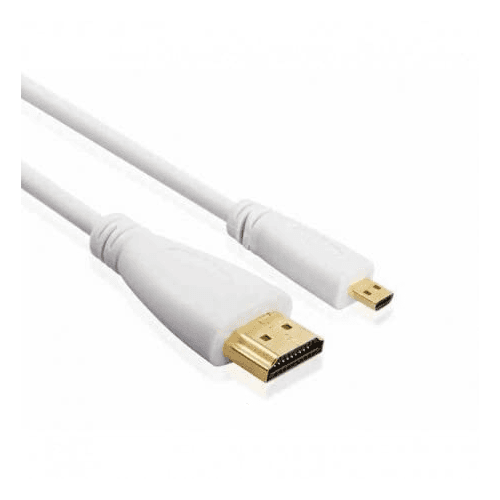
This is a bare board, not a finished camera or recorder. Power goes in through a separate Micro USB port, so you need a suitable Micro USB supply. Add a Mini HDMI cable or adapter if you want a display, an OTG adapter or hub for keyboards, mice or storage, and a compatible camera module if the project needs video.
Specifications
- Brand
- Raspberry Pi
- Wireless Standard
- 802.11b/g/n
Technical Specifications
Frequently Asked Questions
How can I check whether my Zero WH is faulty?
Connect it to a computer with a USB data cable (not a charging-only cable) using the port marked 'USB', not 'PWR IN'. If the computer does not detect it and there is no LED activity at all, the board is faulty rather than the power supply.
Should an LED light up when the board is powered?
A working unit should show a green LED flashing briefly, or be detected by a computer when powered over USB. No LED activity even with different power supplies points to a faulty board.
Do I need an adapter to connect a monitor?
The video output is Mini HDMI, so a Mini HDMI cable or adapter may be needed, depending on your display's connection.
You May Also Like
View All



Reviews
Reviews for Raspberry Pi Zero WH with Pre-Soldered GPIO Header: none yet. Who can review: customers who bought this item. When we ask: after the order is dispatched. Every rating shown is therefore from a verified purchase.