
rfid access control system
RFID Access Control System: Install & Integrate
An RFID access control system lets people unlock a door by presenting a contactless card or fob.
On this page
- What is an RFID access control system and what does it need?
- What the system needs
- Quick answers
- Which RFID reader and credential suit your door?
- How do you wire an RFID door access system?
- How do you integrate RFID access control with existing CCTV?
- 1. Physical: a camera on the door
- 2. Signal: relay or sensor into an NVR alarm input
- 3. Software: a platform-level link
- Keep the clocks aligned
- What goes wrong when RFID and CCTV are combined, and how do you fix it?
- Related products
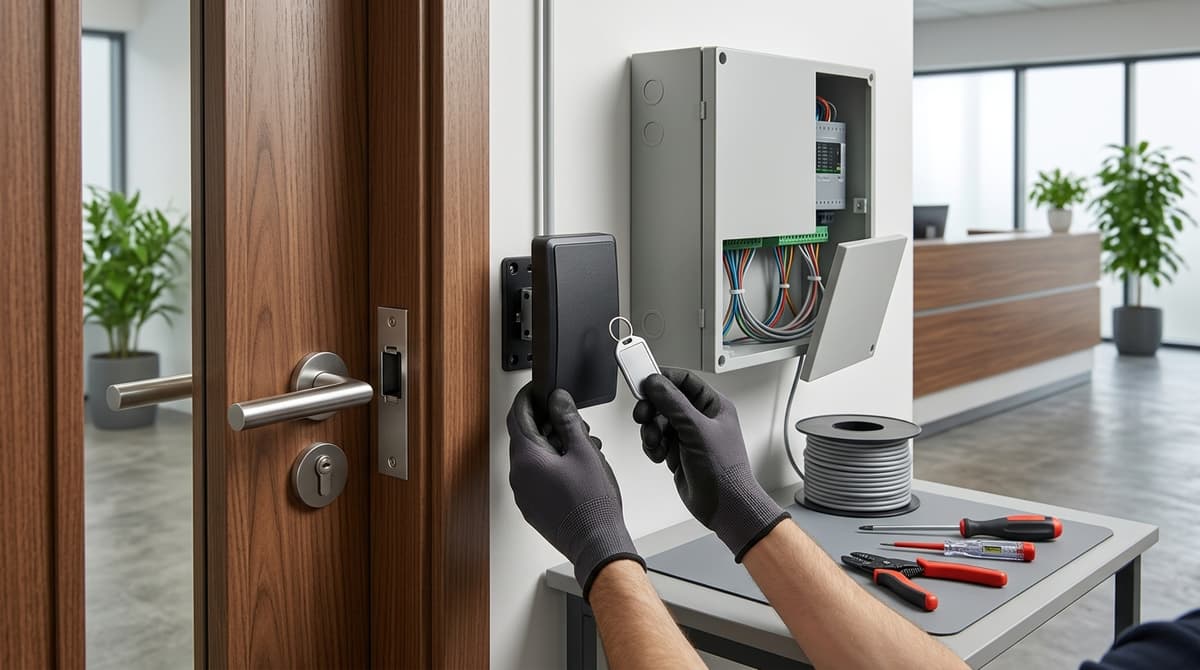
An RFID access control system lets people unlock a door by presenting a contactless card or fob. The reader passes the credential to a controller, which releases the lock only if it is on the permitted list. It can sit alongside an existing CCTV system, linked at the door, through the recorder's alarm inputs or in software, depending on your hardware.
The credential matters as much as the reader. Frequency and security level differ between card types, and a poor match can leave a door less secure than it looks.
What is an RFID access control system and what does it need?
An RFID access control system uses a contactless card or fob, a reader, a controller and a lock to decide who can open a door. Per Ambient.ai, the credential talks to the reader by radio in low, high or ultra-high frequency bands. Those bands differ in read range, authentication options and security.
What the system needs
- Credential: the card or fob presented at the door.
- Reader: captures the credential's data. The ACM-A60W-EM reads EM 125 kHz cards, accepts a PIN, and sends data over Wiegand.
- Controller: makes the grant or deny decision. A reader such as the Dahua ASR1200D (Mifare, 13.56 MHz, RS485 or Wiegand) still needs a compatible controller.
- Lock: the controller operates it, but only when the cardholder has the right permissions.
- Exit button and door sensor: general practice for letting people out and detecting an open or forced door. Support for both varies by controller model.
Quick answers
How does RFID work? The reader energises or listens for the credential and passes its data to the controller, which opens the lock if that credential is authorised.
Is RFID obsolete? No. Readers and controllers for 125 kHz and 13.56 MHz cards are still sold, and some terminals also accept phone credentials. The real question is which credential type you choose.
Downsides? Similar-looking credentials use different frequencies and security models, so weaknesses depend on the credential type. The practical result is a mismatch risk: a 125 kHz reader will not read a 13.56 MHz card. Pair EM 125 kHz cards with the ACM-A60W-EM and Mifare 13.56 MHz cards with the Dahua ASR1200D. General guidance: keep a record of issued cards and cancel lost ones.
Which RFID reader and credential suit your door?
Match the credential frequency first, then decide whether the unit works alone or needs a separate controller. Of the four we sell, the Dahua ASR1200D reads 13.56MHz Mifare cards, while the ACM-A60W-EM takes 125kHz EM cards.
| Product | Frequency | Interface | Rating | Standalone or controller | Best for |
|---|---|---|---|---|---|
| ACM-A60W-EM | EM 125kHz | Wiegand output | Waterproof (no IP figure stated) | Reader with Wiegand output for an access system | Outdoor doors and gates needing card or PIN, plus a doorbell |
| Dahua ASR1200D | Mifare 13.56MHz | RS485 or Wiegand | IP65 | Needs a compatible access controller | Slim card-only reader, indoor or outdoor |
| WiFi Tuya IP68 RFID Door Keypad WG26/34 | Not stated in the listing | Wi-Fi (Tuya app), WG26/34 in the name | IP68 | Keypad with RFID, PIN and app unlock; listing does not say whether a separate controller is needed | Exposed outdoor doors needing RFID plus PIN and app unlock |
| 12V-24V Waterproof WiFi Tuya keypad (model A9) | EM RFID | Wi-Fi (Tuya app), 12V-24V | Waterproof (no IP figure stated) | Sold as a door controller keypad | Doors where you want app-based remote opening |
The ACM-A60W-EM combines a backlit touch keypad with card entry, so one device covers PIN plus card. The Dahua unit has no keypad and needs a compatible access controller before it does anything. That makes it a better fit for a larger system where the controller holds the user list.
The two Wi-Fi Tuya keypads suit a single door where a phone app for remote unlocking matters more than central management. Of the four, IP68 is the highest rating stated, so the IP68 keypad is the one to pick for a fully exposed position.
If you already have cards to reuse, ask us before ordering the IP68 keypad, as its listing does not state a card frequency. Your own electrician or installer should fit and wire any of these, following the product datasheet. Browse the range at clearsecurity.co.uk or ask for a suggested system.
How do you wire an RFID door access system?
Wire the reader to a controller over Wiegand or RS485, then connect the lock, exit button and door sensor to that controller, powering the lock separately. The steps below are general guidance unless a datasheet is cited, so check your specific model's wiring diagram first.
- Plan the door. Decide between an electric strike and a maglock, and whether you need an exit button and a door sensor. Then check the reader's and controller's installation guides for the terminals they provide, because the supplied listings do not confirm these connections for every model.
- Power. The A9 WiFi Tuya keypad is listed at 12V-24V, so confirm the voltage on each datasheet. As a common precaution, give the lock its own supply rather than drawing it from the reader's feed, unless the manufacturer's guide says otherwise. Any mains-side work is for your own electrician, because we sell equipment and do not install.
- Reader to controller. The ACM-A60W-EM outputs Wiegand, and the Dahua ASR1200D offers Wiegand or RS485. The Dahua also needs a compatible access controller. Where a reader and controller offer a choice of Wiegand format (such as WG26 or WG34), set the same one at both ends, or card numbers may be misread. As an example of what to look for, ZKTeco's C3-100 Plus controller is described as supporting Wiegand W26/W34/W66 and RS-485.
- Lock, exit button, sensor and alarm outputs. Wire each to its terminals on the controller, following the manufacturer's diagram.
- Enrol cards and PINs. Follow the product's own manual or installation guide, since the programming sequence differs between models.
Test the door with it open, closed and locked before leaving it in service.
How do you integrate RFID access control with existing CCTV?
There are three levels of integration: physical (a camera covering the door), signal (controller output into an NVR alarm input) and software (a platform-level link). Which of them you can use depends on your controller and NVR model, so check both datasheets before buying.
1. Physical: a camera on the door
Place a camera so it sees both the door and the point where the credential is presented. Footage from that position can be compared against the access log, including for tailgating and shared cards. It depends on clear visibility and on synchronised clocks (see below). This level needs no electronic link between the two systems.
2. Signal: relay or sensor into an NVR alarm input
Many controllers can switch a relay, and some expose a door-sensor or alarm output. Wiring that output to an NVR alarm input can let a door event trigger recording or a flagged clip. It only works if your recorder has an alarm input.
Readers such as the ACM-A60W-EM send card data over Wiegand to a controller. The Dahua ASR1200D uses RS485 or Wiegand and likewise needs a compatible access controller. Neither talks to a recorder itself, so the controller is the device that provides the output.
3. Software: a platform-level link
Some vendors offer IP- and SDK-based access terminals. The CT9 PRO, shown on NODER's access control page, and Civintec's CT10 both list a 3.5" touch-screen terminal with an embedded Linux OS and SDK. The information we have does not confirm that either works with a particular third-party NVR, so ask the manufacturer before you buy.
Keep the clocks aligned
Point the controller, NVR and any server at the same NTP source. If their clocks drift, a log entry will not line up with the matching video, which weakens both investigation and evidence. Any footage showing people is also personal data, so retention and signage still fall under UK GDPR and the ICO code.
If you want a camera and recorder that suit an existing door, you can browse the range at Clear Security or ask for a suggested system.
What goes wrong when RFID and CCTV are combined, and how do you fix it?
Many faults in a combined RFID and CCTV system come down to six mismatches: card frequency, Wiegand format or missing controller, shared power, NVR alarm input settings, clock sync and weather rating. The table lists common mismatches rather than manufacturer-sourced fixes. Exact settings vary by controller and NVR model, so work from their datasheets.
| Symptom | Likely cause | What to check |
|---|---|---|
| Card not read | 125kHz card on a 13.56MHz reader, or the reverse | Match card to reader. The ACM-A60W-EM reads EM 125kHz cards; the Dahua ASR1200D reads Mifare at 13.56MHz |
| Reader powers up, door will not release | Wiegand format mismatch, no controller, or wrong lock supply | The ASR1200D needs a compatible access controller. Make sure the reader's Wiegand output matches a format your controller supports, and that the lock's voltage and type suit its supply |
| Reader resets when the lock fires | Reader and lock sharing one supply | Try a separate supply for the lock, rated for its current draw |
| Door events missing on the NVR | Wrong alarm input type or trigger polarity | Set the NVR input to normally open or normally closed to match the controller's relay output |
| Timestamps off | No time sync | Point the controller and NVR at the same time source |
| Reader fails outdoors | Rating mismatch or water ingress | The ASR1200D is IP65; the WiFi Tuya WG26/34 keypad is IP68. Inspect seals and cable entry |
Work through the table top to bottom. Frequency and format faults can be ruled out with just a datasheet and a spare card.
Have your own electrician or installer do any wiring, following the product's installation guide. Orders placed before 4pm are dispatched the same working day (Monday to Friday, items in stock); weekend orders go out the next working day. Browse the range or ask for a suggested system.
Related products
Related products from our own range:
- 12V-24V Waterproof Wifi Tuya Access Control Keypad OTA Door Controller System RFID Keyboard WG26-44 56 58 APP Remote Door Opener — WiFi door access controller with EM RFID keypad, model A9.
- WiFi Tuya IP68 RFID Door Keypad WG26/34 — Tuya WiFi door keypad with RFID and PIN entry, IP68 rated for exposed outdoor use, app remote unlock. Prices include VAT. Free UK mainland delivery over £100.
- ACM-A60W-EM Waterproof RFID Touch Keypad Access Reader — Wiegand-output reader combining a backlit touch keypad with EM 125kHz RFID card entry. Waterproof metal housing suits outdoor doors and gates; built-in doorbell.
- Dahua ASR1200D Slim Waterproof RFID Access Reader, IP65 — Slim IP65 RFID card reader for indoor or outdoor doors. Reads Mifare cards at 13.56MHz, uses RS485 or Wiegand. Needs a compatible access controller.
Recommended products
From our own range — picked for what this guide covers.
- WiFi Tuya IP68 RFID Door Keypad WG26/34Tuya WiFi door keypad with RFID and PIN entry, IP68 rated for exposed outdoor use, app remote unlock. Prices include VAT. Free UK mainland delivery over £100.View product →
- ACM-A60W-EM Waterproof RFID Touch Keypad Access ReaderWiegand-output reader combining a backlit touch keypad with EM 125kHz RFID card entry. Waterproof metal housing suits outdoor doors and gates; built-in doorbell.View product →
- Dahua ASR1200D Slim Waterproof RFID Access Reader, IP65Slim IP65 RFID card reader for indoor or outdoor doors. Reads Mifare cards at 13.56MHz, uses RS485 or Wiegand. Needs a compatible access controller.View product →
Frequently asked questions
What is an RFID access control system?
It is a door-entry setup where a card or fob is read by a reader, a controller decides whether to allow entry, and a lock releases. A full system often adds an exit button and door sensor. Some keypad readers, such as the ACM-A60W-EM Waterproof RFID Touch Keypad Access Reader, support both PIN and EM 125 kHz card entry.
How does the RFID system work?
The reader detects the credential's radio signal and passes its ID to the controller, often over a Wiegand interface. The controller checks it against authorised users and triggers the lock. Credentials operate on different frequency bands (LF, HF or UHF), so readers and cards must match.
Is RFID obsolete?
No. RFID is still widely used to control doors, and EM 125 kHz proximity readers are still on sale. Security does vary by credential type, though, and some older technologies are weaker than others. For a higher-risk door, weigh the known weaknesses of the credential type before you choose.
What are the downsides of RFID technology?
The main downsides are card and reader mismatch, and security weaknesses that depend on the credential type. Lost cards also need deleting from the system. The mismatch is easy to hit: the ACM-A60W-EM reads EM 125 kHz cards, while the Dahua ASR1200D reads Mifare cards at 13.56 MHz, so cards for one will not work on the other.
Can I use my phone as an RFID access card?
Only if the reader is built for it. Some terminals, such as Civintec's CT10, use encrypted BLE and NFC for phone credentials, but a basic card or keypad reader will not. Our 12V-24V Waterproof Wifi Tuya Access Control Keypad (model A9) has an EM RFID keypad and opens the door remotely through an app, but its listing does not describe phone-as-card use.
Sources & references
- What are RFID door access systems? - Quora
- RFID Access Control Systems: How They Work & When to Use
- Integrated Access Control System with end-to-end encryption
- CT9 PRO intelligent touchless centralized multi credentials door access control terminal_Civintec global
- CT10_Civintec global
- Kimaldi Flexy Plus - Online Access Control
- RFID access controller C3-100 Plus - ZKTeco
- rfid
- access
- control
- system
Written by
Clear Security Editorial Team
Buying guides researched against the equipment we stock, with every specification checked back to the manufacturer's datasheet and UK guidance reviewed before publication.