
quality cctv systems
Quality CCTV Systems UK 2026: What You're Really Paying For
There is no single "best" CCTV system, because a quality one is simply a system whose cable, power, storage and commissioning have been sized properly for your…
On this page
- What are you actually paying for in a quality CCTV system?
- How do cable, power and PoE separate a good install from a cheap one?
- Cable
- Power supplies
- PoE
- Coax
- What should proper mounting and weatherproofing look like?
- Checklist
- Placement
- Mains side
- How should the recorder's storage and retention be worked out?
- Red flags in a quote
- Continuous or motion recording
- What does commissioning and handover include?
- Commissioning checklist
- Handover pack
There is no single "best" CCTV system, because a quality one is simply a system whose cable, power, storage and commissioning have been sized properly for your site. That workmanship usually matters more than the camera on the box, and it's the part a cheap quote tends to trim because you can't see it. Clear Security sells equipment only, so the fitting would be done by your own electrician or an independent installer, which makes knowing what a good install includes even more useful when you compare quotes.
What are you actually paying for in a quality CCTV system?
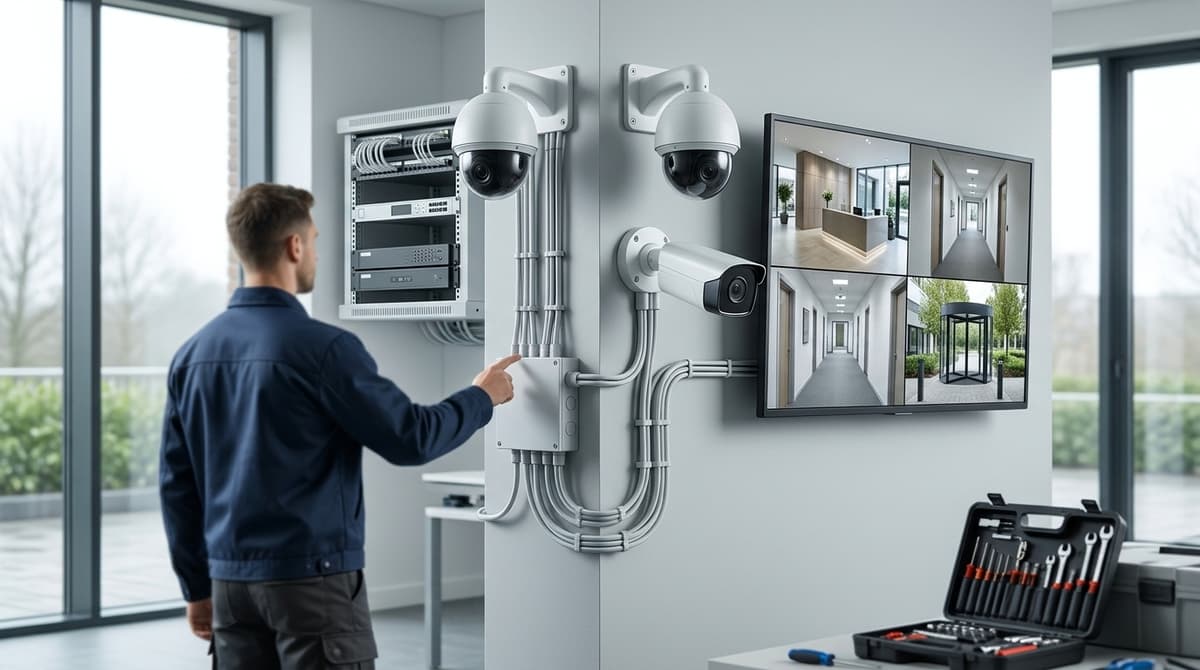
The best CCTV system is the one designed around your site, and quality shows in six workstreams that a cheap quote tends to trim. Camera spec matters, but most failures trace back to the parts you never see on a product page.
- Cable and run lengths: a cheap install guesses the drum size, uses whatever cable is cheapest and may hide joins in the roof void. A good one measures each run at survey and uses suitable cable throughout.
- PSU and power distribution: cheap jobs daisy-chain cameras from one undersized adapter. Good ones use a supply rated with headroom, or power the cameras over PoE.
- Mounting and sealing: cheap fixings go straight into soffits with open cable entries. Good ones seal entries and junctions and match each camera's IP rating to its exposure.
- Storage maths: a cheap system ships with whatever drive was in the box. A good one sizes the drive from bitrate × number of cameras × days of retention.
- Network and PoE design: cheap installs never check the switch's power budget. A good design keeps total camera draw under that budget and puts the recorder and cameras on a planned network.
- Commissioning and handover: cheap means "it shows a picture". Good means focus and angle checked in low light, recording schedules set, default passwords changed, remote viewing tested and the owner walked through playback and export.
Needs differ by premises. CCTV systems for shops put cameras on the entrance, the counter and the till. A CCTV system for an office favours reception, entrances and the comms room. Restaurant CCTV systems add back-of-house and cash-handling areas. Retention length should follow your documented purpose under the ICO's CCTV guidance, so settle it before choosing drive size.
We sell the equipment and don't fit it, so take your survey notes to your own electrician or an independent NSI- or SSAIB-accredited installer.
How do cable, power and PoE separate a good install from a cheap one?
A good install states the cable type and longest run, sizes power with headroom, and checks the PoE budget against total camera draw before anything is bought.
Cable
Ask any quote for the cable type and the longest run in metres. "Any cable will do" is a warning sign. As practitioner guidance rather than a datasheet figure, confirm the conductors are copper and that the run sits within the manufacturer's rated length for that cable and camera.
Power supplies
For 12V cameras, size the supply with this formula:
PSU rating (A) ≥ (sum of each camera's draw in A) × (1 + headroom)
Use the draw printed on each camera's datasheet, and take the headroom margin from the PSU maker's guidance. A centralised PSU should feed cameras through fused distribution, so one faulty camera cannot take the rest down. A single PSU feeding a daisy-chain of cameras is a red flag, because cameras at the far end will be starved first.
PoE
Compare the PoE budget of the switch or NVR with the combined draw of every camera it will power. A recorder with enough ports but too small a budget will drop cameras at night, when infrared draw peaks.
Also check the longest cable run against the standard Ethernet limit. The usual figure is 100 m, but verify before publish. Exceed it and you need a switch or extender partway along.
Coax
If you are reusing existing coax, our HD-over-coax guide explains what can stay in place. Fitting is for your own electrician or an independent NSI or SSAIB installer, using the product's installation guide.
What should proper mounting and weatherproofing look like?
A proper install seals the camera, the junction box and the cable entry, and fixes everything to the wall with suitable fixings on a rigid bracket. An IP rating describes the camera as manufactured, not the finished job. An IP67 camera still floods if water tracks along the cable into an open box, so read our IP67 guide alongside this checklist.
Checklist
- Drip loop: leave a downward sag in the cable before it reaches the entry point, so water drips off the lowest point instead of running inside.
- Junction box: use a sealed or weatherproof box, close off any unused entries, and keep connectors inside it rather than hanging exposed.
- Fixings: choose plugs and screws for the wall you actually have (brick, block, render or timber), not whatever is in the toolbox.
- Bracket: it must be rigid. A flexing arm shakes in wind, softens the picture and can trigger false motion alerts. Our camera bracket guide covers the options.
Placement
Mount cameras out of easy reach, so they can't be knocked, covered or pulled down by someone standing at ground level. Keep the lens away from glare and direct light sources, such as a low sun or a floodlight in frame, which can wash out the scene.
Mains side
Any mains wiring falls under BS 7671, so your own electrician should handle it. For the rest of the fitting, use an independent installer accredited with NSI or SSAIB.
How should the recorder's storage and retention be worked out?
Multiply camera bitrate, camera count, seconds per day and retention days, divide by eight, then add headroom for safety.
storage = (camera bitrate × number of cameras × seconds per day × retention days) ÷ 8 + headroom
Use the bitrate each camera is actually set to record at, not the headline resolution. The ÷8 converts bits to bytes, so keep your units consistent before converting to terabytes. Headroom covers busier scenes, night-time noise and the recorder's own overhead.
Red flags in a quote
- No stated retention target. If the quote never says how many days of footage it will hold, the drive size is a guess.
- One small drive for many cameras. Capacity that looks generous on paper shrinks quickly when it is shared across every channel.
- A desktop drive in a 24/7 recorder. These are built for office hours, not constant writing. As general guidance, a surveillance-rated drive is the right choice.
Continuous or motion recording
Continuous recording gives a complete record but needs the most storage. Motion recording stretches retention but can miss the moments just before a trigger. Neither is wrong, so ask which one the quote assumed.
For worked sizing, see the Best NVR Recorder guide. Drives sold with a recorder are supplied pre-fitted before dispatch, so you only need to check the capacity against your own calculation.
What does commissioning and handover include?
Commissioning proves the system records what it should, for as long as it should, and handover puts the evidence and access in the owner's hands. Both belong to whoever fits the kit, whether that is your own electrician or an independent installer.
Commissioning checklist
- Retention: check the recorder's settings, then confirm the oldest clip on the drive matches the number of days the owner expects.
- Motion zones: mask trees, hedges and roads so passing traffic and swaying branches don't flood the alert list.
- Time and date: sync the recorder to a time server and check every camera's overlay matches. Footage with the wrong timestamp is hard to use as evidence.
- Remote view: have the owner open the live feed on their own phone, ideally on mobile data rather than home Wi-Fi.
Handover pack
Give the owner a camera schedule with each camera's location and the area it covers. Add a cable and PSU diagram showing where every run and power supply sits, because that is what a future fault-finder needs first.
Passwords must be changed from the defaults and passed to the owner personally, not left on the recorder. Include the warranty details: purchase invoice, dates and supplier contact.
Signage and retention duties under UK GDPR differ between domestic and business use, so follow our two GDPR guides on signage and retention for the rules that apply to you.
Frequently asked questions
What cctv system is the best?
No single system is best for every site. A quality system has cable, power, storage and commissioning sized for the premises, and that workmanship matters more than the camera's headline specification. Judge a system on how well it is designed and installed for your site, not on one product.
What is the best cctv system?
For a business, it is the one designed around your site: the views you need, the cable run lengths, the power and PoE design, and enough recorder storage for your retention period. Compare quotes on those points rather than on camera resolution, because no universal winner exists.
What is the best quality cctv?
Quality shows in six areas buyers rarely see: cable and run lengths, PSU and power distribution, mounting and sealing, storage maths, network and PoE design, and commissioning and handover. A cheap quote usually trims these. Ask any installer to explain how each is covered.
How do CCTV needs differ for shops, offices and restaurants?
Shops need clear counter and till views. Restaurants need till coverage plus back-of-house areas. Offices need their own priorities, and all three must decide how long footage is kept, which drives storage sizing. Agree these requirements before comparing quotes, so each installer prices the same job.
Does Clear Security install CCTV systems?
No. Clear Security sells equipment only. Fitting should be done by your own electrician or an independent installer. Ask them to cover cabling, power, storage calculations, commissioning and handover, so the system you buy is installed and set up to the standard it was specified for.
Sources & references
- quality
- cctv
- systems
Written by
Clear Security Editorial Team
Buying guides researched against the equipment we stock, with every specification checked back to the manufacturer's datasheet and UK guidance reviewed before publication.
Related reading
- Home CCTV Systems UK 2026: Wired or Wireless?home cctv systems uk
- Business CCTV Systems UK: 2026 Cost & ROI Guidebusiness cctv systems
- CCTV Maintenance Checklist Template UK (2026 Guide)cctv maintenance checklist template
- 4K CCTV Camera Systems: When They Pay Off in 20264k cctv camera system
- Infrared vs Colour Night Vision CCTV: Which Is Better?infrared vs colour night vision cctv which is better
- Best CCTV System 2026: How to Choose for UK Homes and Shopswhat cctv system is the best